

A multi-currency invoice is any supplier invoice that presents an amount in a currency other than your functional currency, or that shows amounts in two currencies simultaneously, and Invoscope extracts, labels, and standardizes those currency fields automatically so your team never has to decode a foreign number format by hand.
Why Multi-Currency Invoices Break Standard OCR
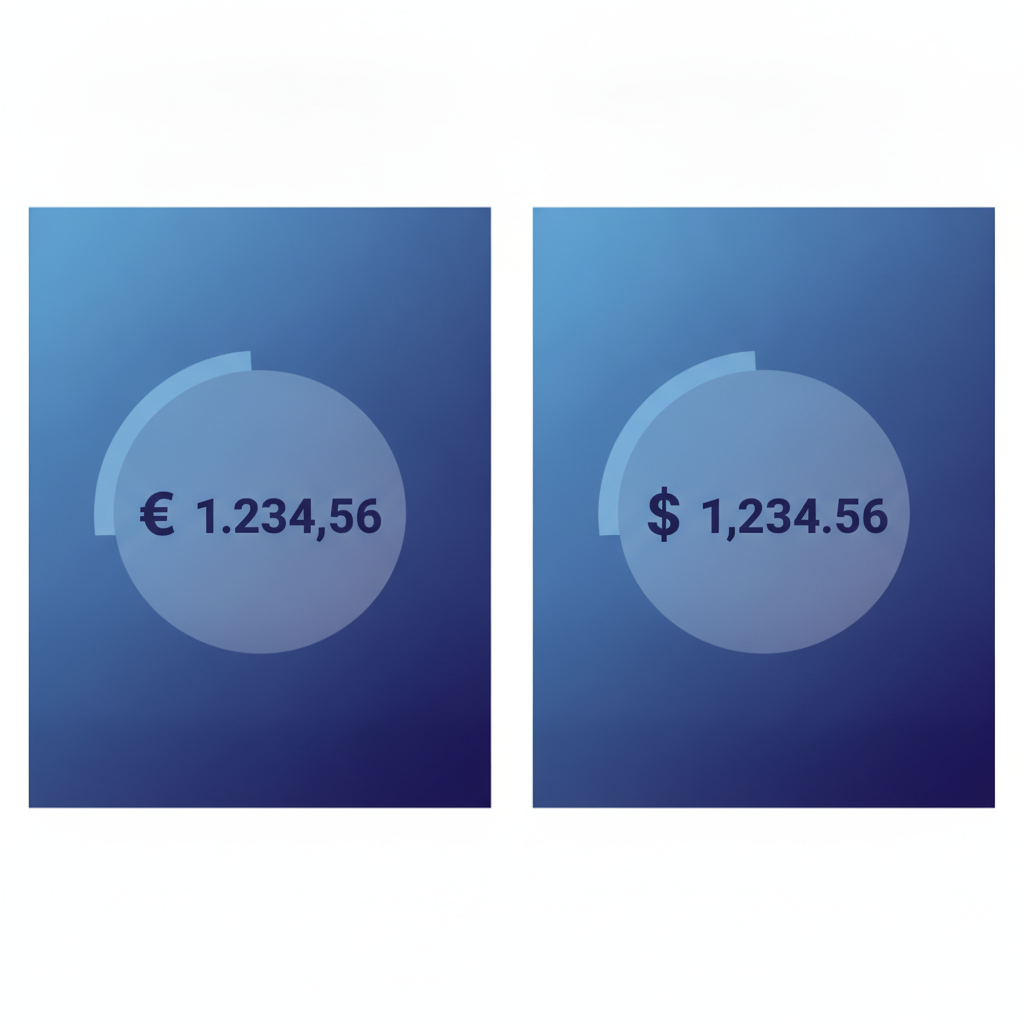
Most invoice OCR tools were designed around a single locale. Feed them a German invoice using a period as the thousands separator and a comma as the decimal separator, and they will read "1.234,56 EUR" as over a million, not one thousand two hundred and thirty-four euros. That is not a hypothetical. It is one of the most common silent errors in international AP workflows, and it passes through without a warning because the extracted number is structurally valid.
The ambiguity runs deeper than separators. Consider these real-world variations that appear on supplier invoices:
- Currency symbols placed before or after the amount ($ 1,200 vs 1,200 $)
- ISO codes instead of symbols (USD, EUR, GBP, JPY, CNY, INR)
- Ambiguous symbols shared across currencies ($ is used by USD, CAD, AUD, SGD, HKD, and more)
- Exchange rate footnotes printed in small type at the bottom of the page
- Dual-currency invoices that show the original amount and a converted amount in separate columns
- Invoices with no currency indicator at all, relying on the buyer to infer from context
Naive template-based OCR fails on all of these because templates expect a fixed field position and a fixed format. International invoices do not cooperate.
The Four Specific Extraction Challenges
1. Decimal and Thousands Separator Conflicts
Three separator conventions are in common use around the world. Getting them wrong silently inflates or deflates invoice totals by a factor of ten, a hundred, or a thousand.
| Convention | Example | Regions |
|---|---|---|
| Period decimal, comma thousands | 1,234.56 | US, UK, Australia, India |
| Comma decimal, period thousands | 1.234,56 | Germany, France, Italy, Brazil, most of continental Europe |
| Comma decimal, space thousands | 1 234,56 | Switzerland, Sweden, Norway, Russia |
An extraction engine that does not resolve the locale before parsing will misread amounts from at least two of these three conventions. The correct approach is to infer the locale from multiple signals simultaneously: the currency code, the supplier address, the language of the invoice text, and the formatting pattern of multiple numeric fields taken together.
2. Ambiguous Currency Symbols
The dollar sign is the most visible example. A PDF that contains "$" could be referring to US dollars, Canadian dollars, Australian dollars, Singapore dollars, or Hong Kong dollars. Extracting "$" and writing it to your spreadsheet without resolving it to an ISO code creates a downstream reconciliation problem that is expensive to untangle weeks later when the payment is due.
The same ambiguity applies to the pound sign (GBP, EGP, SYP, LBP), the franc abbreviation (CHF, XOF, XAF), and several Asian currencies that share visual representations across locales.
3. Exchange Rate and Dual-Amount Fields
Cross-border invoices frequently carry an exchange rate line, either as a stated rate or as a date reference to an agreed rate. Some invoices present the total in two rows: the invoiced currency and the buyer's functional currency. Extracting both rows correctly, labeling which is which, and linking the exchange rate to the right pair of amounts requires semantic understanding of the document, not just field detection.
Proforma invoices, which are common in international trade before goods actually ship, often include estimated exchange rates that differ from the final commercial invoice. If you want to understand the difference between a proforma and a final invoice from an extraction standpoint, the article on proforma invoice vs invoice data extraction covers that in detail.
4. Tax Fields That Vary by Country
VAT, GST, HST, consumption tax, withholding tax. Each jurisdiction labels and calculates its tax line differently, and many cross-border invoices carry a tax field in the supplier's local format alongside a zero-rated or exempt line for the buyer's jurisdiction. An extractor that only looks for a field labeled "Tax" or "VAT" will miss or misread these on a significant share of international invoices.
How Structured AI Extraction Handles Currency Fields
Invoscope uses Google Gemini under the hood to read each invoice as a document, not as a grid of fields. That distinction matters for multi-currency work. Rather than looking for a number at a fixed coordinate, the model reads the surrounding context: the currency code, the column header, the supplier address, and the payment instructions. It resolves ambiguous symbols to ISO 4217 codes, normalises the decimal separator based on locale inference, and labels each monetary field with its resolved currency.
The result is a structured row that looks like this, regardless of how the original PDF was formatted:
- invoice_currency: EUR
- subtotal: 8450.00
- tax_rate: 19%
- tax_amount: 1605.50
- total_due: 10055.50
- exchange_rate_to_usd: 1.082 (if stated on the invoice)
- total_in_functional_currency: 10879.55 (if stated on the invoice)
Across a benchmark of 5,000 invoices, Invoscope reaches 99.2% field-level accuracy. That includes invoices from suppliers in Germany, France, Japan, India, Brazil, and Canada, all of which use different formatting conventions. Each invoice takes roughly 5 seconds to process.
Quick Analyze vs Smart Projects for Multi-Currency Batches
Invoscope offers two extraction modes, and they suit different multi-currency scenarios.
| Scenario | Recommended Mode | Why |
|---|---|---|
| One-off invoice from a new international supplier | Quick Analyze | Upload a single PDF and get structured data in seconds, no setup needed |
| Monthly batch of 20 to 200 invoices from suppliers in multiple countries | Smart Projects | Batch upload, consistent column headers across all currencies, one export |
| Ongoing AP workflow feeding a spreadsheet or accounting system | Smart Projects with CSV or JSON export | Standardized output schema every time, ISO currency codes in every row |
When you export from Smart Projects, every invoice in the batch shares the same column structure. That means a EUR invoice and a JPY invoice land in the same spreadsheet with correctly labeled currency columns, ready to apply your own exchange rate conversion without first cleaning up the data.
Standardizing Extracted Currency Data in Excel
Even with clean extraction, you still need to convert amounts to a single functional currency for reporting. Here is a practical workflow that finance and AP teams use once they have clean structured data from Invoscope.
- Export the batch as CSV. Each row contains the original invoice currency as an ISO code and the total in that currency.
- Add an exchange rate column. Pull rates from a source your finance team approves, whether that is a fixed monthly rate, a central bank rate, or a live feed via a spreadsheet formula.
- Multiply. A simple formula converts each row to your functional currency without any manual re-typing.
- Flag invoices with no currency code. Invoscope marks these as ambiguous so you can review them before they enter your records.
This is significantly faster than re-keying amounts or trying to find and fix locale errors in raw OCR output. The pillar article on invoice data extraction methods and best practices covers the broader workflow for structuring extracted invoice data, including when to use CSV versus JSON output.
Common Mistakes Finance Teams Make with Multi-Currency Invoices
Trusting the $ Symbol Without Resolving It
Writing "$" to your records without resolving it to USD, CAD, AUD, or another dollar currency is a reconciliation error waiting to happen. Always require ISO codes in your extraction output, and verify that your tool resolves symbols to codes rather than passing them through as-is.
Applying a Single Locale Setting to All Invoices
Some tools let you configure a locale once and apply it globally. That works fine if all your suppliers are in one country. The moment you add a European or South American supplier, a global locale setting will misread their number formats. You need per-invoice locale inference, not a single global setting.
Ignoring the Exchange Rate Field
When a supplier prints an exchange rate on the invoice, it is often the contractually agreed rate for that transaction. Ignoring it and applying your own rate later can create a discrepancy between the amount you record and the amount the supplier expects to be paid.
Manually Copying Amounts from Foreign-Language Invoices
Manual data entry from foreign invoices has a higher error rate than domestic invoices because the reader is parsing an unfamiliar format. The true cost comparison between manual entry and automated extraction shows that error correction time alone often exceeds the cost of a paid extraction plan.

Pricing and Getting Started
Invoscope's free tier covers 10 invoices per month with no credit card required. That is enough to test multi-currency extraction on a real sample of your international supplier invoices before committing to anything. Paid plans start at $9.99 per month. Full plan details are on the pricing page.
Frequently Asked Questions
Can Invoscope detect which currency is on an invoice automatically?
Yes. Invoscope reads currency symbols, ISO codes, supplier addresses, and document language together to infer the correct currency for each invoice. It outputs ISO 4217 codes (USD, EUR, GBP, JPY, and so on) rather than raw symbols, so downstream processing is unambiguous.
What happens if the currency is not stated anywhere on the invoice?
If the invoice contains no currency indicator at all, Invoscope flags the currency field as unresolved in the output. That gives your team a clear signal to review that invoice manually rather than letting an incorrect assumption flow silently into your records.
Does Invoscope apply exchange rate conversions automatically?
Invoscope extracts exchange rate fields when they are printed on the invoice. It does not apply live market rates or convert totals to your functional currency automatically. The clean extracted data, with ISO currency codes and any stated exchange rate, is designed to feed into your existing conversion step, whether that is a spreadsheet formula or an accounting system.
How does Invoscope handle invoices with amounts in two currencies?
Dual-currency invoices, where the supplier shows the original amount and a converted amount in separate rows or columns, are extracted with both values labeled. The output includes separate fields for the original currency total and the converted total, so you can see both without parsing the original PDF again.
Is there a limit on how many international invoices I can process in a batch?
The free tier covers 10 invoices per month regardless of currency. Paid plans support higher volumes through Smart Projects batch processing. There is no restriction on currency type or country of origin across any plan.
Ready to test multi-currency extraction on your own invoices? Create a free Invoscope account and process your first 10 invoices with no credit card required.