

A proforma invoice is a non-binding price estimate issued before a transaction is complete, while a commercial invoice (or simply, an invoice) is a legally binding payment request issued after goods are delivered or services are rendered. Invoscope, an AI invoice data extraction tool, can process both document types and export their fields to Excel or JSON in about 5 seconds per document, but the two documents carry different fields, different legal weight, and different implications for your accounts payable workflow.
The Core Difference in One Sentence
A proforma invoice says "here is what you will owe"; a commercial invoice says "here is what you owe now." That single distinction drives every practical difference in how you file, pay, record, and extract data from them.
Side-by-Side Comparison
| Attribute | Proforma Invoice | Commercial Invoice |
|---|---|---|
| Purpose | Preliminary quote or intent to sell | Binding request for payment |
| Legally binding? | No | Yes |
| Triggers payment? | No (buyer may use it to arrange funding or customs clearance) | Yes (sets the due date and payment terms) |
| Recorded in AP? | Typically not posted; filed for reference only | Posted as an accounts payable liability |
| Invoice number field | Optional or prefixed (e.g., "PI-0042") | Required; unique identifier for audit trail |
| Due date | Usually absent or indicative only | Required (e.g., Net 30) |
| Used for customs/import? | Yes, commonly used for import declarations | Yes, but the proforma often precedes it |
| Sent when? | Before shipment or service delivery | At or after delivery |
| Can prices change? | Yes, final invoice may differ | No, price is fixed at issue |
| Signature or stamp required? | Rarely | Sometimes (regulated industries, export) |
When to Issue a Proforma Invoice
Proforma invoices fit four common scenarios. First, international trade: importers need a declared value for customs before the shipment leaves. Second, project-based services: a design agency sends a proforma so the client can get internal budget approval before work starts. Third, advance payment requests: some suppliers ask for a deposit against a proforma, then issue the real invoice on delivery. Fourth, quote confirmation: a distributor sends a proforma to lock in pricing while stock is being allocated.
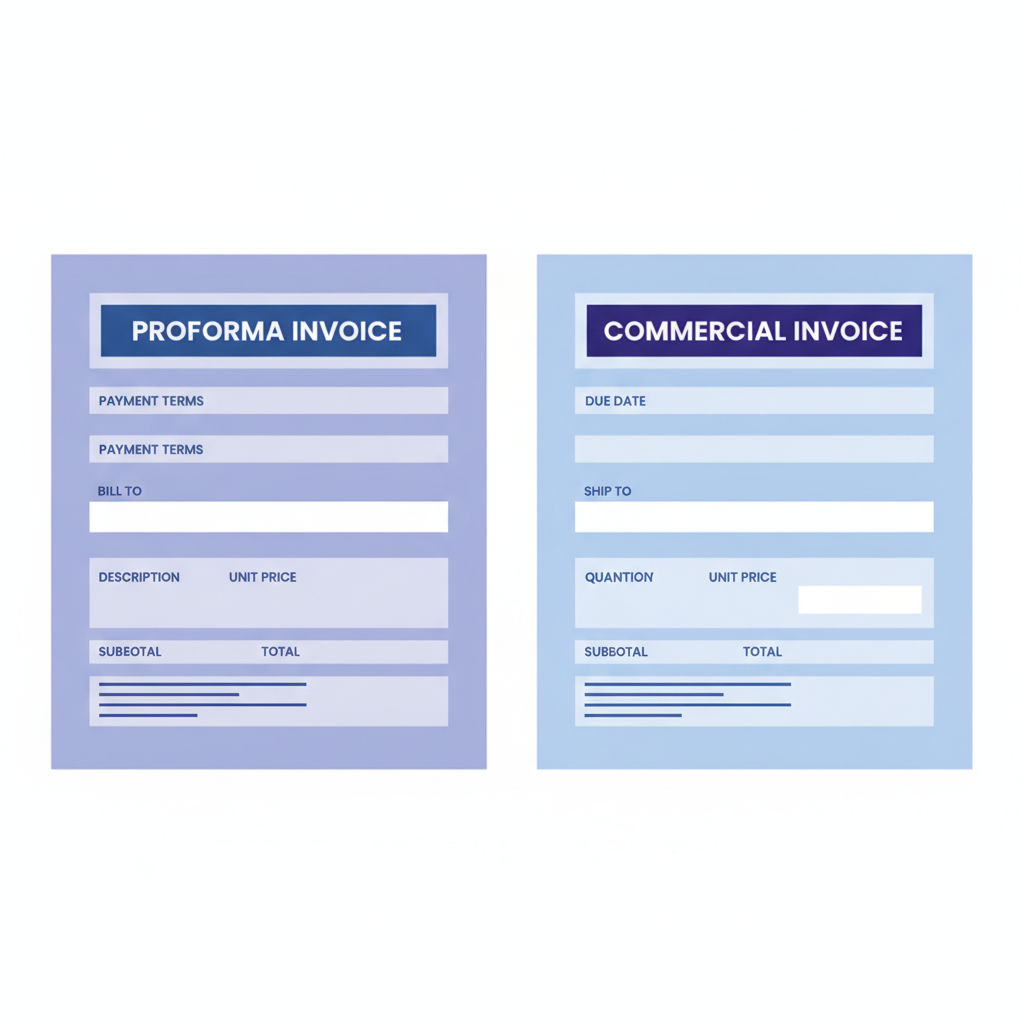
The document looks nearly identical to a commercial invoice, which is exactly where confusion and data extraction errors creep in.
When to Issue a Commercial Invoice
A commercial invoice should be issued at the moment your obligation to pay becomes real: when goods physically ship, when a service milestone is reached, or when a subscription period begins. This is the document that lands in your AP queue, triggers a due-date countdown, and needs to be matched against a purchase order in a 3-way matching workflow. It is also the document that matters for your auditor, your tax authority, and any dispute resolution.
Fields That Differ Between the Two Documents
Both document types share a large common field set: vendor name, buyer name, line items, quantities, unit prices, currency, and tax amounts. The divergence shows up in a handful of specific fields.
| Field | Proforma Invoice | Commercial Invoice |
|---|---|---|
| Document label | "Proforma Invoice" or "Pro Forma Invoice" | "Invoice" or "Tax Invoice" |
| Invoice number | Often prefixed or sequential within proforma series | Unique; required for accounting records |
| Payment due date | Absent or marked "estimated" | Explicit (e.g., 2026-12-01 or Net 30) |
| Payment terms | Indicative ("approximately Net 30") | Binding contractual terms |
| Bank details | May be included to facilitate advance payment | Always included |
| Disclaimers | Often includes "This is not a tax invoice" or similar | No disclaimer; document is the tax record |
| Customs value | Declared value for import purposes | Declared value; must match actual transaction |
How AI Data Extraction Handles Each Type
This is where the comparison gets practical for anyone processing documents at volume. Invoscope uses Google Gemini to read the document holistically rather than scanning for template-defined field positions, which means it handles proformas and commercial invoices from the same vendor without any reconfiguration. The extraction accuracy benchmark sits at 99.2% across 5,000 invoices of mixed types.
Extracting a Commercial Invoice
Commercial invoices are the primary use case for any invoice OCR tool. The field set is well-defined, the document label is unambiguous, and the due date is almost always explicit. Invoscope extracts vendor, buyer, invoice number, issue date, due date, line items, totals, tax, and currency in about 5 seconds, then exports to Excel or JSON. For high-volume batches, the Smart Projects mode lets you queue dozens at once and receive a single consolidated spreadsheet. The broader extraction workflow is covered in the invoice data extraction methods guide.
Extracting a Proforma Invoice
Proformas carry extra complexity for three reasons. First, the document may not have a due date, so the extractor must leave that field blank rather than guessing. Second, the invoice number may follow a different prefix convention ("PI-" vs the commercial "INV-"), which matters if you are trying to match the proforma to the eventual commercial invoice. Third, some proformas include a disclaimer line that a naive parser might mistakenly treat as a line item.
Invoscope reads the document label and applies context-aware field mapping. If the label says "Proforma Invoice," the extracted record flags it accordingly in the output so your team knows not to post it as a payable. That single flag can save a lot of downstream correction work.
The Matching Problem
One practical challenge arises when a supplier sends a proforma first and a commercial invoice later: the two documents often carry different amounts (prices may shift, quantities may change) and different document numbers. Your AP team needs to reconcile the proforma against the final invoice before posting. Invoscope's Smart Projects mode is useful here: upload both documents into a project, export to Excel, and use a simple VLOOKUP on the PO number or vendor reference to compare totals. The invoice reconciliation guide walks through that matching workflow in detail.

Common Mistakes Teams Make
Posting a proforma as a payable is the most frequent error. Because the two documents look almost identical, a busy AP clerk can accidentally create a duplicate liability. The second common mistake is the reverse: receiving a real invoice that is mistakenly filed as a proforma and never paid, triggering late fees. A third mistake specific to international teams is using the proforma value for the commercial invoice customs declaration when the final price changed, which can create compliance issues.
Structured data extraction helps because it forces a consistent output schema. When every document goes through the same extraction pipeline, the document type field is populated explicitly rather than left to interpretation.
Proforma Invoices and Import Workflows
If your business imports goods, proforma invoices are a daily reality. Customs authorities use them to assess duties before the shipment arrives. The declared value on the proforma must be realistic; undervaluing to reduce duties is a customs violation in most jurisdictions. When the commercial invoice arrives later, the declared values should match or be reconcilable. Keeping both documents extracted and structured makes that audit trail easy to produce.
Choosing the Right Extraction Mode in Invoscope
Invoscope offers two modes. Quick Analyze is designed for single documents or small batches when you need results immediately. Smart Projects is designed for ongoing volume, where you want all documents from a supplier or a time period organized into one exportable dataset. For teams that process both proformas and commercial invoices regularly, Smart Projects lets you separate them into distinct projects by document type, keeping your AP queue clean.
You can start with the free tier: 10 invoices per month, no credit card required. Paid plans start at $9.99 per month. Explore the full feature set at Invoscope features or compare plans at pricing.
Frequently Asked Questions
Is a proforma invoice a legal document?
No. A proforma invoice is not legally binding and does not create an obligation to pay. It is a preliminary estimate or declaration of intent. Only a commercial invoice, issued after the transaction terms are confirmed, creates a legal payment obligation.
Can I use a proforma invoice for tax purposes?
Generally no. Tax authorities in most countries require a commercial invoice (or tax invoice) as the supporting document for VAT recovery or expense deductions. A proforma may not satisfy those requirements because it often carries a disclaimer stating it is not a tax invoice.
Will Invoscope correctly identify a proforma invoice and separate it from a commercial invoice?
Yes. Invoscope reads the document label and context to identify the document type and includes that classification in the extracted output. This lets you filter and separate proformas from commercial invoices in your exported spreadsheet without manual review of every document.
What happens if a proforma invoice and the final commercial invoice have different totals?
Price changes are normal: quantities may shift, discounts may be applied, or currency rates may move. The commercial invoice total is the one that matters for payment and accounting. Your team should reconcile the two documents before posting. Extracting both into a structured format, such as an Excel sheet with a vendor reference column, makes that comparison straightforward.
Do I need a different tool to extract data from proforma invoices versus regular invoices?
No. Tools like Invoscope that use AI-based extraction rather than rigid templates handle both document types without any extra configuration. The 99.2% accuracy benchmark covers varied invoice formats, including proformas, multi-page invoices, and non-standard layouts.
Start Extracting Invoice Data for Free
Whether you are processing proformas for customs clearance or commercial invoices for your AP queue, Invoscope extracts the right fields from each in about 5 seconds. Try it free with up to 10 invoices per month, no credit card needed.
Create your free Invoscope account and run your first extraction today.
Related reading: Python OCR Libraries for Invoice Parsing: A Developer Comparison (pytesseract, EasyOCR, Surya, and API Alternatives)