
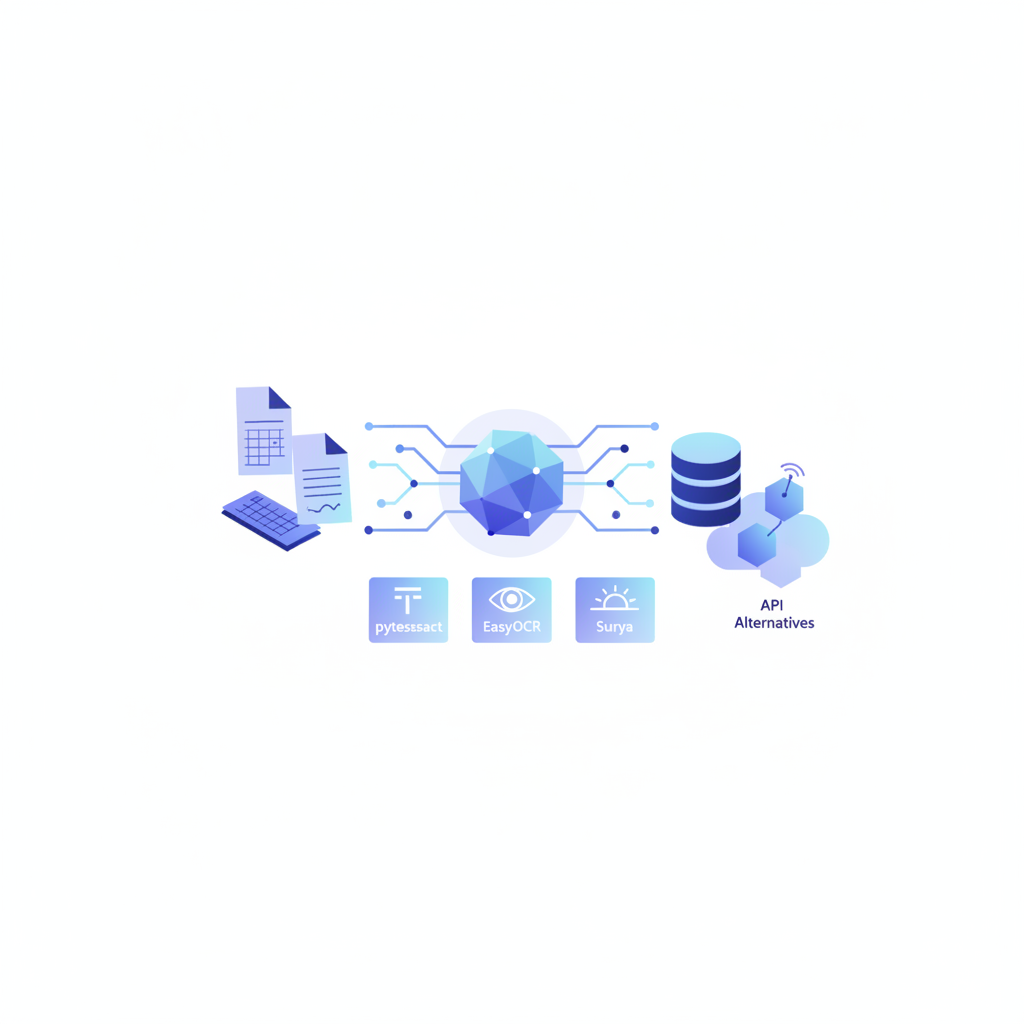
The best Python OCR library for invoices depends on what you need from it: pytesseract is the fastest to install but struggles with skewed scans and multi-column line items; EasyOCR handles more scripts out of the box; Surya delivers state-of-the-art layout analysis on modern hardware; PaddleOCR punches above its weight on dense tables. If you need production-grade accuracy on arbitrary invoice layouts without building a custom post-processing pipeline, Invoscope's public API returns clean structured JSON in about 5 seconds at 99.2% accuracy, starting at $9.99 per month. This article covers all four open-source options with real code, then makes an honest case for when the API alternative is the right call.
Why Invoice Parsing Is Harder Than Generic OCR
Invoice documents are deceptively tricky. The raw text recognition part is the easy bit. The hard part is knowing that "1,200.00" appearing below a column header reading "Unit Price" on row 7 of a line-item table belongs to SKU WDG-44 and not to the subtotal two rows below. Generic OCR libraries return a flat stream of text. Turning that stream into structured fields (vendor name, invoice number, invoice date, due date, line items with quantity, description, unit price, and total) requires spatial reasoning on top of character recognition.
Most open-source libraries were built for document digitization broadly, not invoice intelligence specifically. That distinction drives nearly every accuracy difference you will see in the comparison below. If you want background on why line-item extraction is the hardest piece, the invoice line-item extraction explainer covers the structural reasons in depth.
The Four Contenders
pytesseract
pytesseract is a Python wrapper around Tesseract, Google's open-source OCR engine. It has been around since 2006, has enormous community documentation, and runs everywhere. Installation is two lines:
pip install pytesseract pillow
# also: brew install tesseract  (macOS) or apt install tesseract-ocr (Debian)
Basic invoice extraction looks like this:
import pytesseract
from PIL import Image
import pdf2image

pages = pdf2image.convert_from_path("invoice.pdf", dpi=300)
for page in pages:
    text = pytesseract.image_to_string(page, config="--psm 6")
    print(text)
The --psm 6 flag treats the page as a uniform block of text, which works reasonably well for simple single-column invoices. For tables you want image_to_data to get bounding-box coordinates:
import pandas as pd

df = pytesseract.image_to_data(page, output_type=pytesseract.Output.DATAFRAME)
df = df[df.conf > 60]  # filter low-confidence tokens
print(df[['left', 'top', 'width', 'height', 'text']])
You then cluster tokens by their top coordinate into rows and by left into columns yourself. That post-processing logic can run to several hundred lines before it reliably handles rotated scans, two-decimal currency formats, and multi-line descriptions. Tesseract's underlying recognition accuracy on clean, 300-DPI scans of English invoices is solid. On real-world scanned PDFs with any skew, compression artifacts, or handwritten annotations it degrades noticeably.
EasyOCR
EasyOCR uses a deep-learning backbone (CRAFT for detection, CRNN for recognition) and supports over 80 languages. Installation is heavier because it ships PyTorch models:
pip install easyocr pdf2image
import easyocr
import pdf2image
import numpy as np

reader = easyocr.Reader(['en'], gpu=False)  # set gpu=True if CUDA is available
pages = pdf2image.convert_from_path("invoice.pdf", dpi=300)

for page in pages:
    img_array = np.array(page)
    results = reader.readtext(img_array)
    # results: list of ([bbox], text, confidence)
    for bbox, text, conf in results:
        if conf > 0.6:
            print(f"{text}  [conf={conf:.2f}]")
EasyOCR returns bounding polygons rather than rectangular boxes, which helps with slightly curved text. It also tends to handle lower-quality scans better than Tesseract out of the box. The tradeoff: first inference is slow (model load takes a few seconds) and without a GPU, throughput on batches of invoices can be painful. Multi-language invoice support is a genuine advantage if your vendor base spans scripts.
Surya
Surya is a newer model by Datalab (released 2024) that combines OCR with layout analysis in a single pipeline. It is specifically designed for document understanding, not just character recognition. It can segment a page into regions (paragraph, table, figure, header) before reading text, which is valuable for invoices where the line-item table sits alongside address blocks and payment terms.
pip install surya-ocr
from surya.ocr import run_ocr
from surya.model.detection.model import load_model as load_det_model, load_processor as load_det_processor
from surya.model.recognition.model import load_model as load_rec_model
from surya.model.recognition.processor import load_processor as load_rec_processor
from PIL import Image

image = Image.open("invoice_page.png")

det_processor, det_model = load_det_processor(), load_det_model()
rec_model, rec_processor = load_rec_model(), load_rec_processor()

results = run_ocr([image], [['en']], det_model, det_processor, rec_model, rec_processor)
for block in results[0].text_lines:
    print(block.text, block.bbox)
Surya's layout segmentation means you get cleaner separation between the header fields (invoice number, dates, vendor address) and the line-item table. In informal benchmarks across the community, it beats Tesseract on structured document accuracy by a material margin, especially on two-column and table-heavy layouts. The catch: Surya is GPU-hungry for real throughput. CPU inference on a large batch of invoices is slow enough to be a production concern.
PaddleOCR
PaddleOCR from Baidu is production-hardened, ships a full text detection plus recognition pipeline, and has excellent table-structure recovery via its Table Recognition module. For invoice line items specifically, the table pipeline is worth evaluating seriously:
pip install paddlepaddle paddleocr
from paddleocr import PaddleOCR, PPStructure
import cv2

# General OCR
ocr = PaddleOCR(use_angle_cls=True, lang='en')
result = ocr.ocr("invoice_page.png", cls=True)
for line in result[0]:
    bbox, (text, conf) = line
    if conf > 0.7:
        print(text)

# Table structure recovery
table_engine = PPStructure(table=True, ocr=True, show_log=False)
img = cv2.imread("invoice_page.png")
table_result = table_engine(img)
for region in table_result:
    if region['type'] == 'table':
        print(region['res']['html'])  # returns the table as HTML
That HTML output from PPStructure is genuinely useful: you can parse it with pandas or BeautifulSoup to reconstruct the line-item table without writing bounding-box clustering logic from scratch. PaddleOCR also supports GPU acceleration and is fast on CPU for inference compared to EasyOCR. The documentation is primarily in Chinese and can be hard to navigate for English-speaking developers, which is a real friction point.
Head-to-Head Comparison on Invoice Fields
| Library | Setup complexity | Header fields (vendor, date, invoice no.) | Line-item table accuracy | Skewed / low-res scans | GPU needed for speed | License |
|---|---|---|---|---|---|---|
| pytesseract | Low | Good on clean PDFs | Weak (manual clustering required) | Poor | No | Apache 2.0 |
| EasyOCR | Medium | Good, multi-language | Fair (no native table structure) | Moderate | Recommended | Apache 2.0 |
| Surya | Medium-High | Very good (layout segmentation) | Good (layout-aware) | Good | Yes for throughput | GPL-3.0 (non-commercial free) |
| PaddleOCR | Medium | Good | Best of four (PPStructure HTML output) | Good | Recommended | Apache 2.0 |
| Invoscope API | Very low (REST call) | Excellent (99.2% benchmark) | Excellent (purpose-built) | Excellent | N/A (managed) | Commercial SaaS |
Note on Surya's license: GPL-3.0 means if you embed it in a commercial product you need to open-source that product or obtain a commercial license from Datalab. For internal tooling or open-source projects it is free. For a closed SaaS or enterprise app, check with your legal team.
What You Still Have to Build Yourself
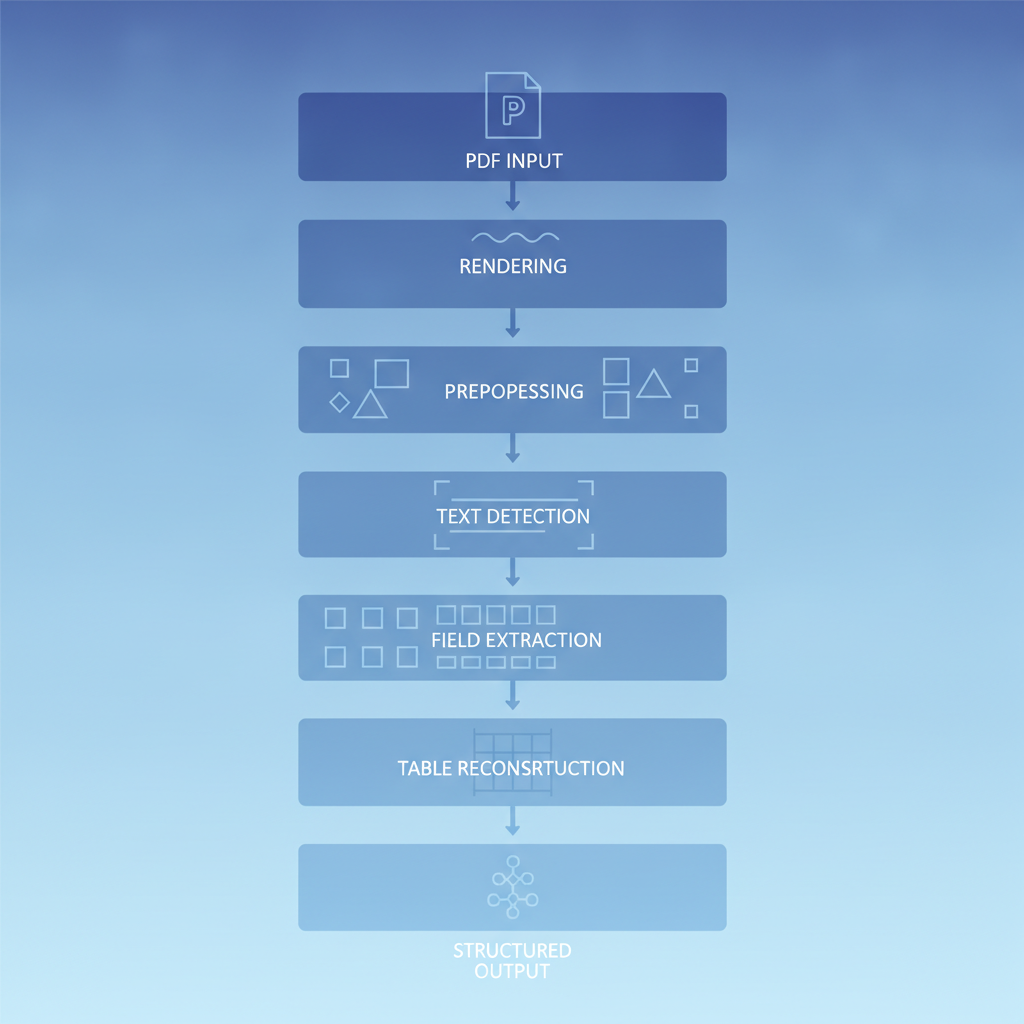
Even if you pick the strongest open-source option, the OCR library is only one layer. A production invoice parser also needs:
- PDF rendering: pdf2image, PyMuPDF, or pdfplumber to convert PDF pages to images at the right DPI.
- Pre-processing: deskewing, denoising, contrast normalization for scanned documents.
- Field extraction logic: regex or a small NLP model to identify which token is the invoice date versus the due date versus a line-item date.
- Table reconstruction: spatial clustering (for Tesseract/EasyOCR) or HTML parsing (PaddleOCR) to turn raw tokens into structured rows.
- Post-processing validation: currency parsing, tax calculation checks, duplicate detection, confidence thresholds that trigger manual review.
- Error handling and retry logic: corrupt PDFs, password-protected files, oversized documents.
- Output formatting: JSON, CSV, or Excel, normalized to whatever schema your downstream system expects.
Realistically, that is two to four weeks of engineering for a first working version and ongoing maintenance as new invoice layouts arrive. If you are building a one-off internal tool for a narrow set of known suppliers, the open-source route can make sense. If the goal is reliable extraction across arbitrary vendor invoices at any volume, the build cost adds up fast.
The Invoscope API Alternative
Invoscope's public API was designed specifically for the use case where you want clean structured data from invoices without owning the extraction pipeline. A minimal integration looks like this:
import requests

API_KEY = "your_invoscope_api_key"
URL = "https://app.invoscope.com/api/v1/extract"

with open("invoice.pdf", "rb") as f:
    response = requests.post(
        URL,
        headers={"Authorization": f"Bearer {API_KEY}"},
        files={"file": ("invoice.pdf", f, "application/pdf")}
    )

data = response.json()
print(data["vendor_name"])
print(data["invoice_number"])
print(data["line_items"])  # structured array, not raw text
The response is clean JSON with typed fields: dates as ISO strings, amounts as floats, line items as an array of objects. No bounding-box clustering. No regex for currency. No pre-processing pipeline. The extraction runs in about 5 seconds per invoice and is accurate to 99.2% across a benchmark of 5,000 invoices. If you want to see the full JSON schema, the AI-ready invoice data JSON guide walks through every field and how to consume it in downstream automation.
The API is available on paid plans starting at $9.99 per month. There is also a real free tier with 10 invoices per month and no credit card required, which is enough to validate the integration before committing. For teams running n8n or Zapier workflows, the n8n invoice data extraction workflow guide shows how to wire the API into an automated pipeline without writing any server-side code.
To understand the AI approach behind the extraction accuracy and why it handles new layouts without templates, the AI invoice processing explainer covers the architecture in plain English. For a broader look at all the extraction methods available, the invoice data extraction methods and best practices guide provides the full picture including where open-source OCR, traditional template-based tools, and AI APIs each fit.
When to Build vs When to Use the API
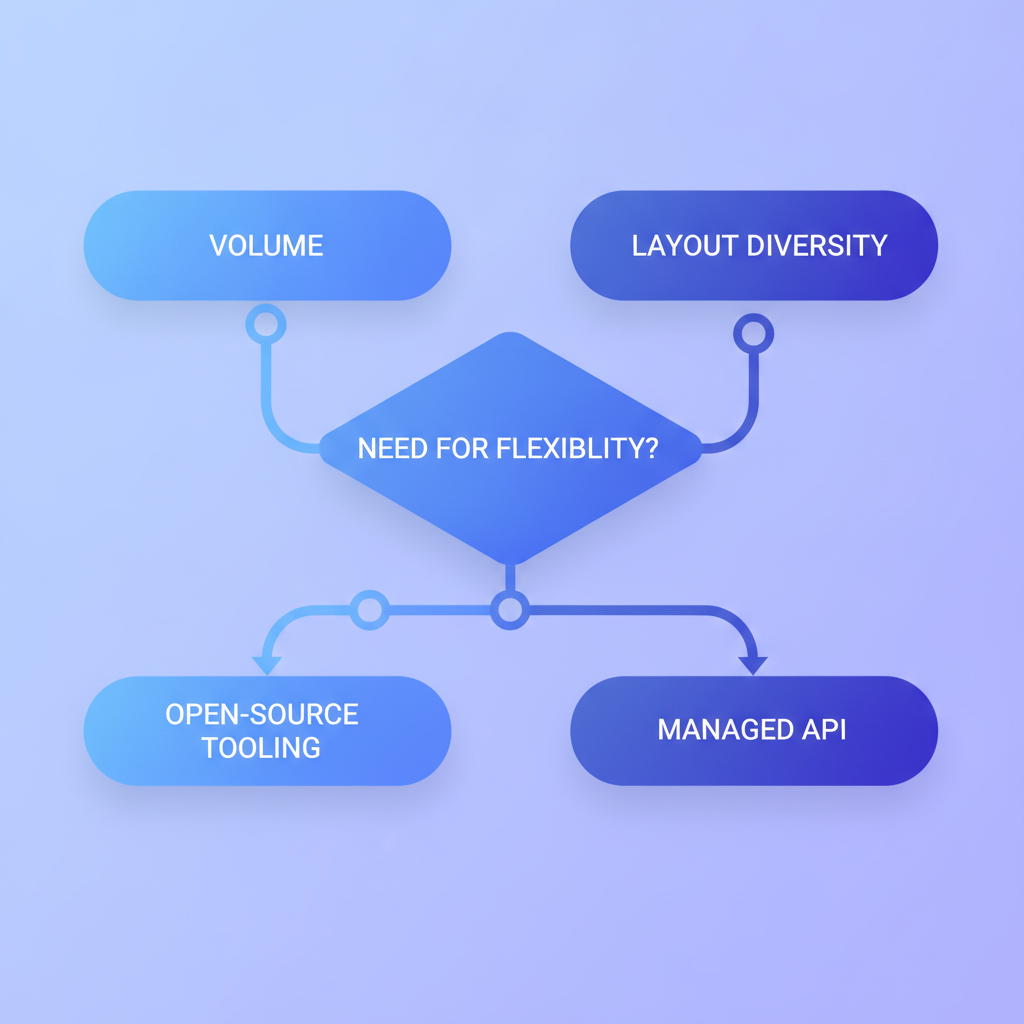
| Situation | Recommended approach |
|---|---|
| Internal tool, 2-3 known supplier formats, low volume (<100/month) | pytesseract or PaddleOCR with custom post-processing |
| Multi-language invoices, varied layouts, team has ML expertise | Surya or PaddleOCR with GPU infrastructure |
| Production SaaS or finance-ops product, arbitrary vendor invoices | Invoscope API (outsource accuracy, own the integration) |
| High volume (>1,000/month), need line items and header fields reliably | Invoscope API (99.2% accuracy, 5-second turnaround, no pipeline maintenance) |
| Prototype or hackathon, any volume | EasyOCR (easy setup) or Invoscope free tier (10 invoices, no card) |
Frequently Asked Questions
Which Python OCR library is most accurate for invoice line items?
PaddleOCR's PPStructure module comes closest among open-source options because it outputs an HTML table structure rather than raw tokens, so you do not need to write spatial clustering logic. Surya is competitive on layout understanding but requires more GPU resources. Neither reaches the purpose-built accuracy of a dedicated invoice AI service like Invoscope.
Can pytesseract extract invoice line items reliably?
Pytesseract can extract the text from a table, but it does not understand table structure. You have to group tokens into rows and columns yourself using their bounding-box coordinates. For simple, well-formatted invoices from a small set of known vendors this is workable. For diverse, real-world invoice PDFs with varying column widths and multi-line descriptions, the custom logic becomes fragile and expensive to maintain.
Is Surya free to use in a commercial invoice parsing product?
Surya is released under GPL-3.0, which requires any software that incorporates it to also be open-source under a compatible license. If you are building a commercial closed-source product, you need a separate commercial license from Datalab or you need to choose a differently licensed library like pytesseract, EasyOCR, or PaddleOCR (all Apache 2.0).
How does the Invoscope API handle invoice formats it has never seen before?
Invoscope uses a large multimodal AI model (powered by Google Gemini) that reasons about document layout and field semantics rather than matching templates. It does not need to be trained on a specific vendor's format. That is why it maintains 99.2% accuracy across a diverse benchmark of 5,000 invoices with no template setup required. The AI invoice processing explainer goes into the technical reasoning behind this.
What fields does the Invoscope API return in its JSON response?
The API returns structured fields including vendor name, vendor address, invoice number, invoice date, due date, currency, subtotal, tax amounts, total amount, and a line-items array with quantity, description, unit price, and line total for each row. The full schema with example output is documented in the AI-ready invoice data JSON guide.
Start Extracting in Minutes
If you are evaluating whether the API fits your use case, the fastest path is to test it on your own invoices. Create a free Invoscope account, get your API key from the dashboard, and run the code snippet above against up to 10 real invoices at no cost, with no credit card. If the JSON output meets your accuracy bar, you can move to a paid plan from $9.99 per month and scale from there.