

The phrase types of invoices refers to the distinct billing documents used across commercial and accounts-payable workflows: commercial invoices, proforma invoices, credit notes, debit notes, recurring invoices, self-billing invoices, and interim invoices. Each type carries a different set of required fields, serves a different legal or operational purpose, and demands different handling at the point of extraction. Invoscope processes all of them without template setup, reaching 99.2% field-level accuracy in roughly 5 seconds per document.
Why Invoice Type Matters for Data Extraction
Most extraction tools are tuned for the standard commercial invoice. That works fine until a credit note lands in your inbox, a supplier sends a proforma instead of a tax invoice, or your accounts team starts receiving self-billing documents from a logistics partner. The field structure changes. The logic around totals changes. In some cases the monetary direction changes entirely.
Understanding invoice types before you automate extraction prevents a common and expensive mistake: applying a single extraction schema to a document family that was never designed to be uniform.
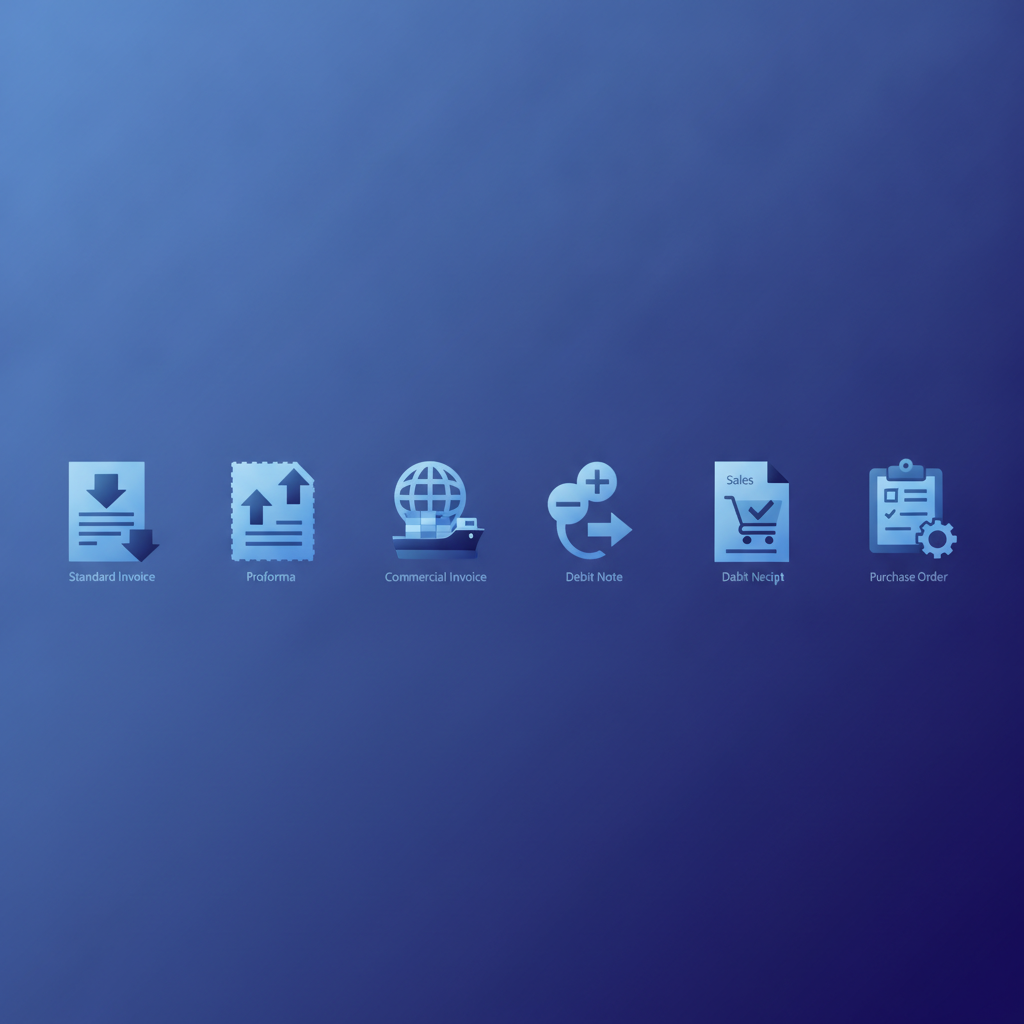
The Seven Main Invoice Types in AP Workflows
1. Commercial Invoice
The commercial invoice is the standard billing document. A seller issues it to a buyer after goods or services are delivered, requesting payment. It is the workhorse of AP: most teams process far more commercial invoices than any other type.
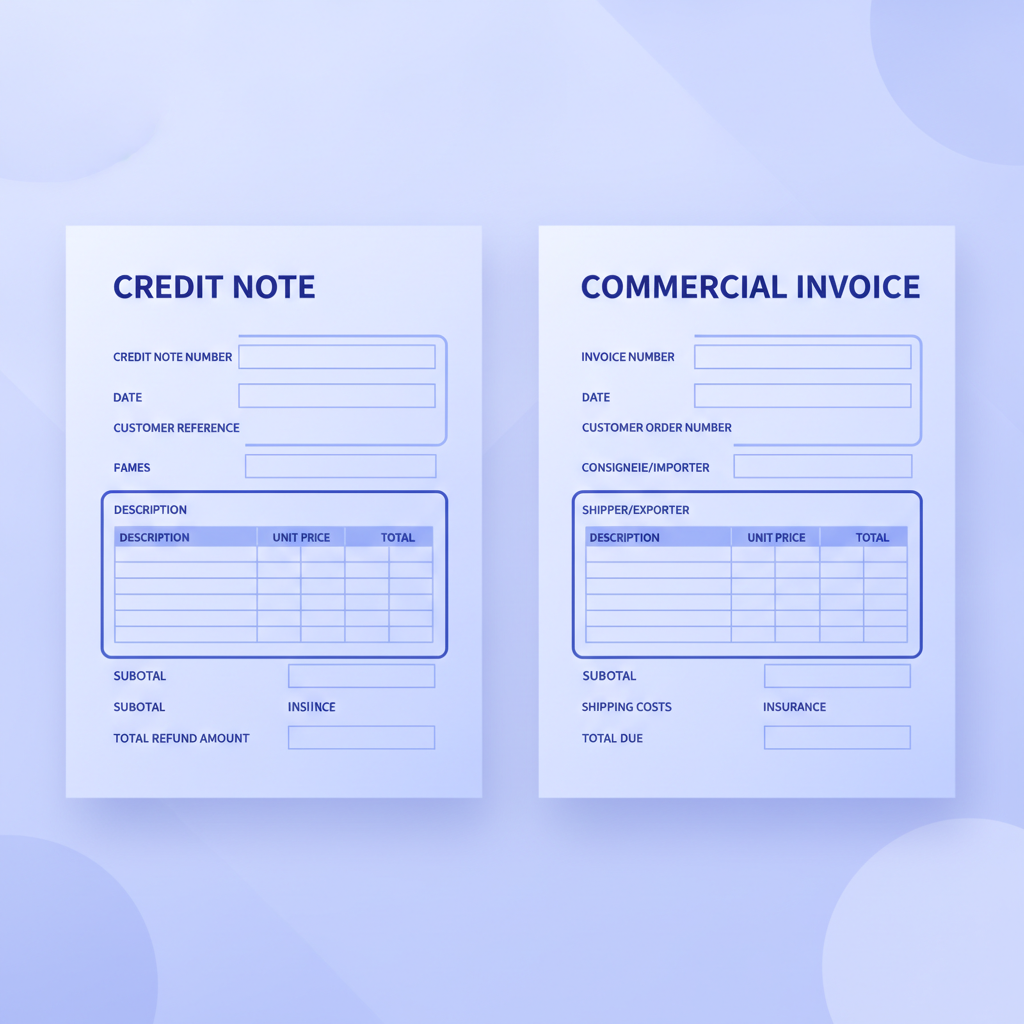
Key fields on a commercial invoice include: invoice number, invoice date, due date, seller and buyer details (name, address, VAT or tax ID), line items (description, quantity, unit price, line total), subtotal, tax amount, and grand total. These are the fields every extraction tool targets first.
Invoscope captures all of them, including multi-row line-item tables, in a single pass. You can read more about why line-item tables are technically the hardest part of extraction in our post on invoice line-item extraction.
2. Proforma Invoice
A proforma invoice looks almost identical to a commercial invoice, but it is not a payment demand. Sellers issue proformas before goods ship, typically so the buyer can arrange financing, apply for an import licence, or get internal purchase approval. The document is clearly marked "Proforma Invoice" and carries no legal obligation to pay.
From an extraction standpoint, a proforma contains most of the same fields as a commercial invoice. The critical difference is the document type label, which affects how downstream systems route the record. An extraction tool that conflates proforma and commercial invoices will create phantom payables in your accounting system.
3. Credit Note (Credit Memo)
A credit note is the corrective counterpart to a commercial invoice. When a supplier overcharges, a buyer returns goods, or a billing error occurs, the supplier issues a credit note to reduce the outstanding balance. It references the original invoice number and carries a negative monetary direction.
This is where the phrase credit note vs invoice becomes operationally important. A credit note is not an invoice you pay. It is a document that offsets one. AP teams that do not extract the "credit note" document type label and the referenced invoice number correctly end up with unreconciled balances that can take days to untangle manually.
Fields to extract on a credit note: credit note number, date, reference to original invoice, reason for credit, line items being credited, credit amount (shown as positive, understood as negative to the payable), and tax adjustment.
4. Debit Note
A debit note is the buyer-initiated equivalent. Instead of waiting for the supplier to issue a credit note, the buyer sends a debit note to formally notify the supplier that they are reducing the amount they will pay, and why. Some industries, especially retail and construction, use debit notes heavily for penalty deductions, short deliveries, or quality claims.
Debit notes look similar to credit notes but originate from the opposite party. Extraction needs to capture the issuing party clearly, because the accounting treatment depends on who sent the document.
5. Recurring Invoice
Recurring invoices are issued on a fixed schedule for the same (or predictably variable) amount: SaaS subscriptions, office leases, retainer fees. They contain all standard commercial invoice fields, but the pattern matters for AP automation. A team processing 50 recurring invoices from the same vendor each month benefits enormously from being able to batch-extract them and compare period-over-period totals automatically.
Invoscope's Smart Projects feature is designed for exactly this: upload a folder of recurring invoices from one supplier, get a single consolidated spreadsheet with every period in rows. See how batch processing works in our complete batch processing guide.
6. Self-Billing Invoice
In a self-billing arrangement, the buyer generates the invoice on behalf of the supplier. This is common in logistics, automotive supply chains, and some agricultural trade. The buyer knows the quantities received and the agreed price, so they produce the billing document themselves and send a copy to the supplier for records.
Self-billing invoices are legally valid in most jurisdictions if the supplier has agreed to the arrangement in writing. From an extraction angle, they carry all standard fields but the issuer and the payer are the same entity, which can confuse tools that assume a strict supplier-to-buyer flow.
7. Interim Invoice (Progress Invoice)
Interim invoices are partial billing documents issued during a long project before final completion. Construction firms, law firms, and engineering consultancies use them to bill for work completed to date. Each interim invoice may carry a "percentage complete" or "milestone" field that does not exist on a standard commercial invoice.
Final invoices in these arrangements often reference all prior interim invoices and net off amounts already paid, creating a complex reconciliation requirement. Structured extraction of interim invoices needs to capture milestone identifiers and cumulative billing amounts alongside standard fields.
Invoice Types at a Glance
| Invoice Type | Issued By | Payment Obligation | Key Unique Fields | Common Industry |
|---|---|---|---|---|
| Commercial Invoice | Seller | Yes | Due date, tax ID, line items | All industries |
| Proforma Invoice | Seller | No | "Proforma" label, estimated amounts | Import/export, manufacturing |
| Credit Note | Seller | No (reduces payable) | Original invoice reference, credit reason | Retail, wholesale |
| Debit Note | Buyer | No (reduces payment) | Deduction reason, original PO reference | Construction, retail |
| Recurring Invoice | Seller | Yes | Billing period, subscription term | SaaS, professional services |
| Self-Billing Invoice | Buyer | Yes (buyer pays self-generated amount) | Supplier acknowledgement reference | Logistics, automotive |
| Interim Invoice | Seller | Partial | Milestone ID, % complete, cumulative billed | Construction, legal |
How Invoice Type Affects Extraction Field Requirements
Every invoice type shares a core set of fields: issuer, recipient, date, and a monetary amount. Beyond that core, the required fields diverge significantly. The table above captures the main differences, but the practical implication for extraction is this: a tool configured for commercial invoices alone will silently drop fields it does not expect and misclassify documents it was not trained on.
Invoscope takes a format-agnostic approach powered by Google Gemini. Rather than matching a document against a pre-built template, the model reads the document structure, identifies the document type from the label and field patterns, and adapts the extraction schema accordingly. A credit note is parsed as a credit note. An interim invoice has its milestone fields captured. A proforma is flagged as a pre-shipment estimate, not a payable.
This matters most when your AP inbox is mixed. If 80% of your volume is commercial invoices but 15% are credit notes and 5% are proformas, a template-based tool will fail silently on 20% of your documents. At 99.2% accuracy across all document types, Invoscope does not require you to pre-sort your inbox by document type before uploading.
For a deeper look at how different extraction methods compare across document complexity, see our pillar on invoice data extraction methods, tools, and best practices.
Practical Implications for AP Teams
Routing and Approval Workflows
Invoice type determines routing. A commercial invoice goes to the approver who owns the budget line. A credit note offsets an existing payable and may need no approval at all, or may need a different approver entirely. An interim invoice needs to be matched against a project budget rather than a single purchase order. If your extraction output does not capture document type as a structured field, your routing rules cannot operate on it.
GL Coding Differences
Credit notes and debit notes post to the same GL accounts as the original invoices they correct, but with reversed signs. Proformas should not post at all until converted to a commercial invoice. Recurring invoices often need period-allocation entries. Getting the document type right at extraction time is the prerequisite for correct GL coding downstream. Our guide on GL coding invoices covers this in more detail.
Reconciliation Complexity
Credit notes and interim invoices create the most reconciliation complexity. A credit note must be matched to an original invoice. An interim invoice must be matched to a contract and tracked against prior partial billings. Extracting these as generic "invoices" loses the referential links that make automated reconciliation possible.
Frequently Asked Questions
What is the difference between a credit note and an invoice?
A credit note reduces the amount a buyer owes, while an invoice requests payment. A seller issues a credit note to correct an overcharge, accept a return, or apply a discount after the original invoice has been sent. Unlike an invoice, a credit note carries a negative monetary direction and must reference the original invoice number to be matched correctly in AP systems.
Is a proforma invoice a real invoice?
No. A proforma invoice is a preliminary document that estimates the cost of goods or services before they are delivered. It carries no legal payment obligation and should not be entered as a payable in your accounting system. It becomes a real invoice only when the seller issues a commercial invoice after delivery.
Can Invoscope extract all invoice types, or just commercial invoices?
Invoscope extracts all major invoice types: commercial, proforma, credit note, debit note, recurring, self-billing, and interim invoices. Its AI model identifies document type from the document itself rather than relying on templates, so you do not need to pre-sort or pre-label documents before uploading. You can process up to 10 invoices per month free, with no credit card required.
What fields does a credit note need to contain for proper AP processing?
A properly structured credit note should include a unique credit note number, the date issued, a reference to the original invoice number being corrected, the reason for the credit, a line-item breakdown of what is being credited, the credit amount, any tax adjustment, and the supplier's details. Missing the original invoice reference is the most common gap that causes reconciliation failures.
How do recurring invoices differ from standard invoices in extraction?
Recurring invoices carry the same core fields as commercial invoices but also include a billing period (for example, "October 2026") and sometimes a subscription or contract reference number. For teams processing high volumes of recurring invoices from the same suppliers, batch extraction into a single spreadsheet with period-by-period rows is far more efficient than processing each invoice individually.
Start Extracting Any Invoice Type for Free
Whether your AP inbox contains commercial invoices, credit notes, proformas, or a mixture of all seven types, Invoscope handles them without template configuration. Plans start at $9.99 per month, and the free tier gives you 10 extractions per month with no credit card required. Upload your first invoice in under a minute and get structured, exportable data in about 5 seconds.
Create your free Invoscope account and extract your first invoice now.
Related reading: How to Copy a Table from a PDF into Excel (and When It Breaks on Invoices)
Related reading: Multi-Currency Invoices: How to Extract and Standardize Data Across Currencies