

An invoice number is a unique alphanumeric identifier printed on an invoice that distinguishes it from every other invoice in a system. Invoscope extracts this field automatically from any PDF or image invoice in about 5 seconds, giving your accounts payable team a reliable key for deduplication, payment tracking, and three-way matching without any manual re-keying.
Why Invoice Numbers Exist
Every transaction between a buyer and a seller needs a reference point both parties can quote. The invoice number serves exactly that role. When a supplier calls about a late payment, they cite an invoice number. When your AP team books a payment in the general ledger, they record the invoice number. When an auditor traces a disbursement, the invoice number is the thread that ties the purchase order, the goods receipt, and the payment together.
Without a unique, consistent invoice number on every document, you get duplicate payments, mismatched records, and reconciliation headaches that can cost finance teams hours each week. Research consistently shows that duplicate invoices are one of the top causes of overpayment in accounts payable, and the invoice number is the primary field used to catch them before they turn into wire transfers.
Standard Invoice Number Formats
There is no single legal format for invoice numbers in most jurisdictions, but several conventions have become standard practice. The table below summarizes the most common ones.
| Format Type | Example | Best For | Risk |
|---|---|---|---|
| Sequential integer | 1001, 1002, 1003 | Solo freelancers, very small businesses | Reveals invoice volume to clients |
| Year-prefixed sequential | 2026-0042, 2026-0043 | Businesses that reset counters annually | Collision risk if prefix is dropped accidentally |
| Date-based | 20260318-001 | High-volume daily billing cycles | Long strings; parsing complexity for OCR |
| Client or project prefix | ACME-2026-007 | Agencies, consultancies with multiple clients | Requires disciplined prefix management |
| Alphanumeric random | INV-X7K92P | Systems that auto-generate IDs | Harder to spot gaps or duplicates manually |
Whichever format you choose, three rules apply universally: each number must be unique across all time, the sequence must have no gaps (gaps suggest missing or voided invoices), and the format must be consistent enough for your accounting software to index reliably.
How Invoice Numbering Sequences Work
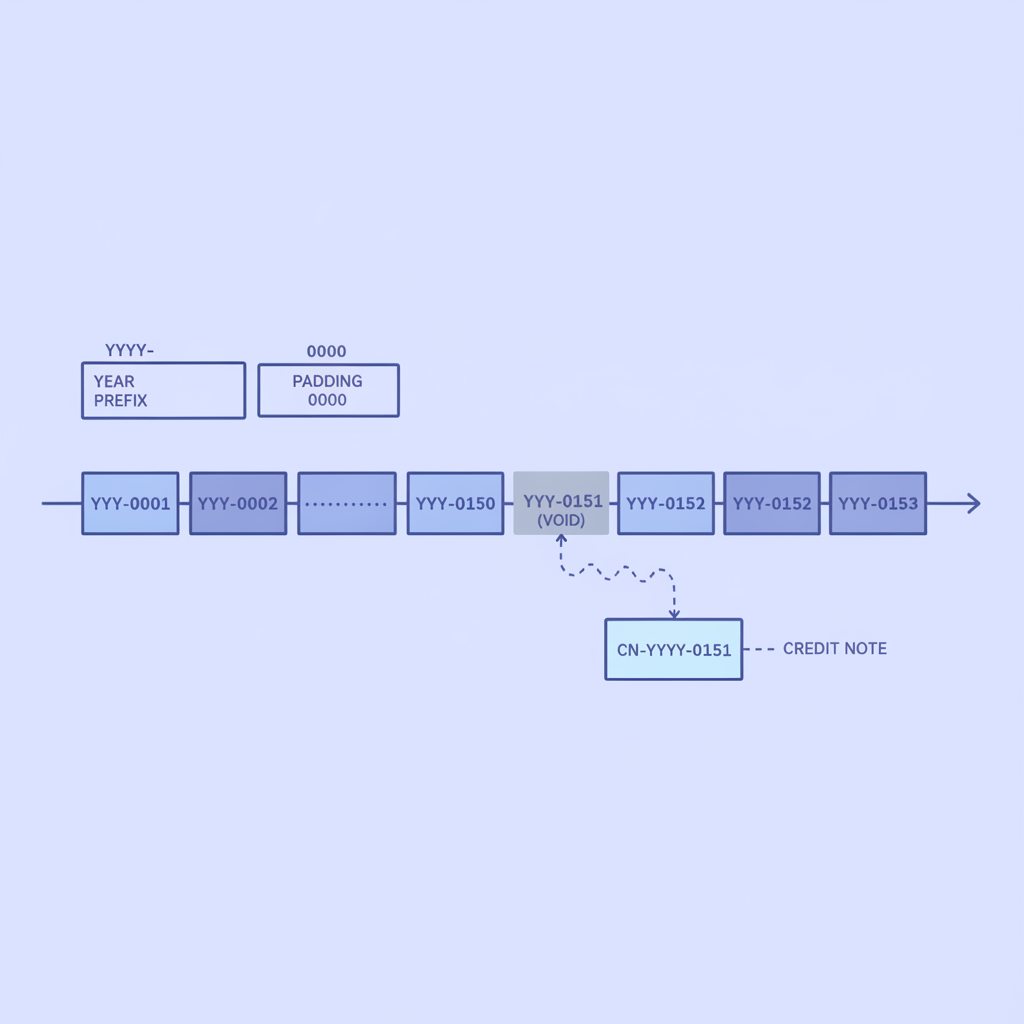
A sequencing scheme is just the logic that determines what comes after any given invoice number. Simple counters work fine at low volume. As your business grows, you typically add prefixes to partition the namespace, for example by year, division, or customer, so that the same counter can restart in each partition without creating collisions globally.
Good sequencing practice also includes a padding convention. Padding a counter to four or five digits (0042 instead of 42) keeps alphabetical and numerical sort orders aligned, which matters a great deal when you are exporting batches of invoice data to a spreadsheet or feeding records into a database.
One practical note: if you void an invoice, do not reuse its number. Issue a credit note instead and reference the original invoice number in that credit note. This preserves the audit trail and prevents downstream confusion in AP matching.
Why Accurate Invoice Number Extraction Matters for AP Teams
The invoice number is what transforms a pile of PDFs into a queryable dataset. Every downstream AP workflow depends on it being extracted correctly.
Deduplication
When the same invoice arrives twice, whether because a supplier resent it or someone forwarded a PDF that was already processed, the invoice number is the fastest way to flag the duplicate before payment runs. A system that misreads INV-2026-0042 as INV-2026-0012 will miss the match entirely.
Three-Way Matching
Three-way matching links a purchase order, a goods receipt, and a supplier invoice. The invoice number is one of the key fields used to anchor that link. If the extracted number contains a character error, the match fails and the invoice gets routed to a manual exception queue. You can read more about how this works in our post on what three-way matching is and how invoice, PO, and receipt matching works.
GL Coding and Audit Trails
Every journal entry in a general ledger references a source document, and that reference is almost always the invoice number. If the number is wrong in the extracted data, tracing a payment during an audit means manually hunting through PDFs instead of running a query.
Vendor Statement Reconciliation
Suppliers send monthly statements listing every open invoice by number. Reconciling those statements against your records is trivial when your extracted data is clean, and painful when invoice numbers have been misread, truncated, or merged with adjacent text fields.
How OCR Gets Invoice Numbers Wrong (and What AI Does Differently)
Traditional template-based OCR anchors field extraction to fixed coordinates on the page. Invoice numbers appear in different positions across vendors: top-right on one supplier's template, below the billing address on another, embedded in a header table on a third. A coordinate-locked template simply misses the field or grabs the wrong text entirely.
AI-based extraction, the kind Invoscope uses powered by Google Gemini, reads the document the way a human does. It identifies the invoice number by understanding label context, such as the text "Invoice No.", "INV#", or "Reference" nearby, regardless of where on the page that label sits. This is why Invoscope achieves 99.2% accuracy across a benchmark of 5,000 invoices from dozens of vendor formats, with no template setup required.
Line items are a related challenge: if the invoice number appears inside a dense table header, some extractors confuse it with a line-item reference code. Our post on why invoice line-item extraction is the hardest part of OCR goes into detail on exactly that problem.
Invoice Number Extraction With Invoscope
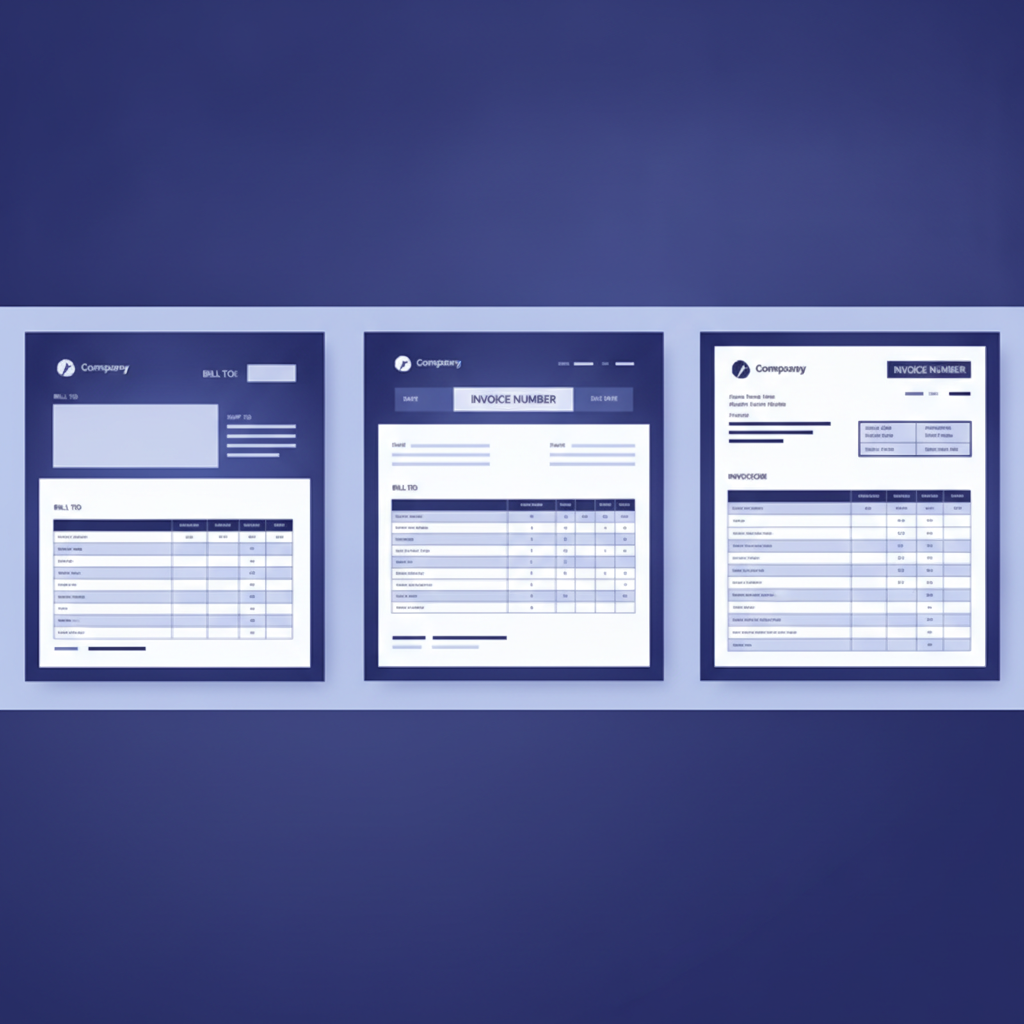
When you upload an invoice to Invoscope, the platform extracts the invoice number along with every other standard header field, vendor name, date, line items, totals, tax, and more, and returns the results in about 5 seconds. You can use Quick Analyze for single invoices or one-off spot checks, or Smart Projects for batches where you want all results consolidated into a single export file.
Both modes export to Excel or CSV with the invoice number in its own dedicated column, ready to be imported into your accounting software or reconciled against a vendor statement. The free tier covers 10 invoices per month with no credit card required, and paid plans start at $9.99 per month.
For a broader look at the methods available for pulling structured data from invoice PDFs, see our pillar guide on invoice data extraction methods, tools, and best practices.
Invoice Number Best Practices at a Glance
- Choose a format and stick to it. Consistency makes extraction more reliable across every tool in your stack.
- Never reuse a number, even for a replacement invoice. Issue a new number and reference the old one.
- Pad counters to at least four digits so sort order stays predictable.
- Include a year prefix if your counter resets annually to prevent cross-year collisions.
- Store extracted invoice numbers in a dedicated field in your accounting system, not as free text in a notes column.
- Run a deduplication check on invoice number plus vendor name plus amount before every payment run.
Frequently Asked Questions
Is an invoice number required by law?
In most countries, including the United States, there is no federal statute requiring a specific invoice number format, but tax authorities and auditors universally expect invoices to be uniquely identifiable. In the EU, VAT regulations typically require that invoices carry a sequential number within a controlled series. Even where it is not legally mandated, the practical necessity for AP matching and audit trails makes invoice numbering essential for any business that issues or receives more than a handful of invoices per month.
What is the difference between an invoice number and a purchase order number?
An invoice number is assigned by the supplier and appears on the invoice they send you. A purchase order number is assigned by the buyer before the goods or services are delivered and appears on the PO the buyer sends to the supplier. Both numbers typically appear on a well-formatted invoice, and AP teams match them together during the approval process. They are different identifiers that reference different documents in the same transaction.
Can two invoices from different vendors have the same invoice number?
Yes, and this is normal. Invoice numbers are only required to be unique within a single vendor's series. Your AP system should always deduplicate on the combination of vendor identifier plus invoice number, not on invoice number alone. An extraction tool that returns only the invoice number without the vendor name creates a gap in your deduplication logic.
How does Invoscope handle invoice numbers that include special characters or spaces?
Invoscope extracts the invoice number as it appears on the document, preserving hyphens, slashes, and spaces that are part of the format. The exported field contains the raw value so your accounting software can match it exactly against vendor records. You can review a sample extraction in the free tier, which covers 10 invoices per month with no credit card required.
What happens if an invoice has no number printed on it?
Some informal or handwritten invoices, particularly from small sole traders, omit a formal invoice number. In that case, Invoscope returns an empty field for invoice number rather than guessing. Your workflow should flag these documents for manual review, assign an internal reference number, and request that the supplier add a number to future invoices to keep your records clean.
Start Extracting Invoice Numbers Automatically
Stop copying invoice numbers by hand. Invoscope extracts invoice numbers, dates, vendor details, line items, and totals from any invoice PDF in about 5 seconds at 99.2% accuracy. Try it free with 10 invoices per month, no credit card needed, and see clean structured data you can actually use in your AP workflow.
Create your free Invoscope account and extract your first invoice now.
Related reading: Types of Invoices Explained: Commercial, Proforma, Credit Note, Recurring, and More
Related reading: How to Copy a Table from a PDF into Excel (and When It Breaks on Invoices)