

Purchase order vs invoice: a purchase order (PO) is the document a buyer sends to a supplier before delivery to authorize a purchase at agreed quantities and prices, while an invoice is the document the supplier sends after delivery to request payment for those items. The difference is direction and timing: the PO is the buyer's commitment to buy, and the invoice is the seller's request to be paid.
Updated October 2026.
Accounts payable teams compare the two before paying, a step called PO matching. Invoscope sits at the invoice end of this chain: it extracts the structured data from incoming invoice PDFs in roughly 5 seconds so your team can compare that data against the original PO without retyping a single field. The matching itself happens in your ERP, AP tool, or spreadsheet.
What Is a Purchase Order?
A purchase order is a legally binding offer from a buyer to a vendor. It is created internally, approved by whoever holds budget authority, then sent to the supplier. The PO spells out exactly what is being ordered: item descriptions, quantities, agreed unit prices, delivery dates, and payment terms. Once the supplier accepts it, both parties have a contractual reference point for the transaction.
POs protect the buyer. If the invoice arrives with a different unit price or an extra line item, the buyer has a signed document to dispute it. They also protect the seller, because an accepted PO is proof that the buyer authorised the purchase before any goods left the warehouse.
What Is an Invoice?
An invoice is a payment demand issued by the supplier after fulfilling the order. It echoes the PO but is produced entirely by the vendor, in the vendor's format, on the vendor's timeline. A well-structured invoice will reference the original PO number, list the same line items, and state the total amount due alongside payment terms (Net 30, for example).
The catch is that suppliers do not all follow the same layout. One vendor uses a two-column PDF; another sends a scanned image. A third embeds line items in a table that traditional OCR tools mangle. That formatting chaos is precisely the problem Invoscope solves at the extraction stage, before any matching can happen.
Purchase Order vs Invoice: A Side-by-Side Comparison
| Attribute | Purchase Order | Invoice |
|---|---|---|
| Who issues it? | Buyer (procurement team) | Supplier (vendor) |
| When is it created? | Before goods or services are delivered | After goods or services are delivered |
| What is its purpose? | Authorise and record a purchase commitment | Request payment for a fulfilled order |
| Legal status | Offer (binding once accepted by vendor) | Demand for payment (enforceable) |
| Key fields | PO number, item list, quantities, agreed prices, delivery date | Invoice number, PO reference, line items, total due, due date |
| Typical format | Internal system export or PDF sent to vendor | PDF, scanned image, or emailed document from vendor |
| Owned by | Accounts payable / procurement | Accounts payable (received), vendor (issued) |
| What happens next? | Vendor accepts it, ships the goods or delivers the service, and the buyer records a goods receipt | AP matches it to the PO (and receipt), codes it, routes it for approval, then schedules payment |
Why the Distinction Matters in Accounts Payable
Most AP problems trace back to a simple failure: the invoice data is never cleanly compared to the PO data. Teams pay duplicate invoices, miss pricing discrepancies, or approve line items that were never ordered. Once you count labour, errors, and late-payment penalties, a manually processed invoice costs far more than it looks (our real cost of manual invoice processing analysis breaks this down). At volume, that adds up fast.
The fix is a matching workflow. Before any invoice is approved for payment, AP compares it to the relevant PO (and sometimes to a goods receipt as well). That process has a name: PO matching.
How PO Matching Works: 2-Way, 3-Way, and 4-Way
PO matching comes in a few flavours depending on how many documents you bring into the comparison.
2-Way Matching
The simplest version. You compare the invoice to the purchase order only. If the quantities and prices align within your tolerance threshold, the invoice is approved for payment. Two-way matching works well for service-based purchases where there is no physical receipt to track.
3-Way Matching
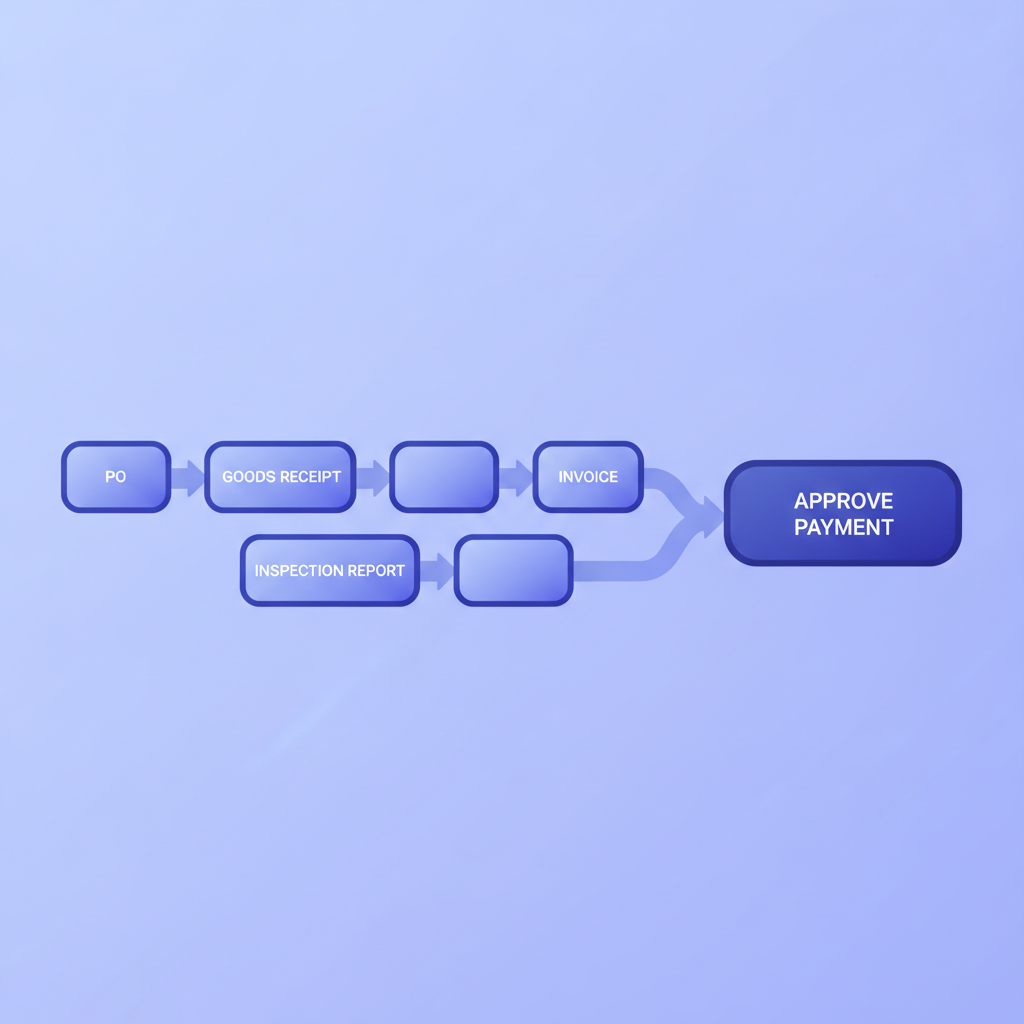
The standard for product-based purchasing. You compare three documents: the purchase order, the invoice, and the goods receipt (sometimes called a receiving report). All three must agree on quantity and price before payment is released. This extra step catches situations where a supplier invoices for 100 units but only 80 were actually delivered.
Three-way matching is covered in depth in our guide what is 3-way matching. The key point is that it requires clean, structured data from all three documents. The invoice is usually the hardest to extract because it arrives in uncontrolled vendor formats.
4-Way Matching
Some regulated industries add an inspection report as a fourth document, confirming not just that goods arrived but that they met quality standards. Four-way matching is less common but follows the same logic: the more documents you align, the lower your fraud and error risk.
Where Invoice Data Extraction Fits In
Matching can only happen if you have structured data from the invoice, starting with the PO number it references (see the glossary entry for purchase order). A PDF sitting in an email inbox is not structured data. Someone has to pull out the PO reference number, the line item descriptions, the quantities, the unit prices, and the total before any comparison can run.
Manual keying is the old answer. It is slow (several minutes per invoice), error-prone, and completely unscalable when invoice volumes spike. Invoscope is the extraction layer that replaces that manual step: upload the PDF, get structured fields back in about 5 seconds at 99.2% accuracy, then pipe that data into your matching or reconciliation workflow.
You can read about the full range of extraction approaches in the invoice data extraction methods and best practices guide, which covers everything from manual keying to AI-powered tools and when each makes sense.
Two Ways to Use Invoscope in a PO Matching Workflow
Quick Analyze: One-Off or Low-Volume Invoices
Drop a single invoice PDF into Quick Analyze and Invoscope returns a structured data set in roughly 5 seconds. No template setup, no field mapping, no training required. The output includes header fields (vendor name, invoice number, invoice date, PO reference, total) and line items. You export to Excel and paste into your PO comparison spreadsheet or upload to your ERP.
Smart Projects: Batch Matching at Volume
If you receive 50 or 200 invoices at month-end, Smart Projects lets you batch-process them. All invoices from the same vendor or the same period land in one project, extract in parallel, and export as a unified Excel file. That file becomes the input for your reconciliation layer. Structured rows, consistent column headers, ready for VLOOKUP or automated matching logic.
For a deeper look at how that reconciliation step actually works, the invoice reconciliation software guide walks through the full PO-matching workflow including tooling options and tolerance rules.
Common Mismatches and What Causes Them
Even when teams have a matching process, mismatches slip through. The most frequent causes are:
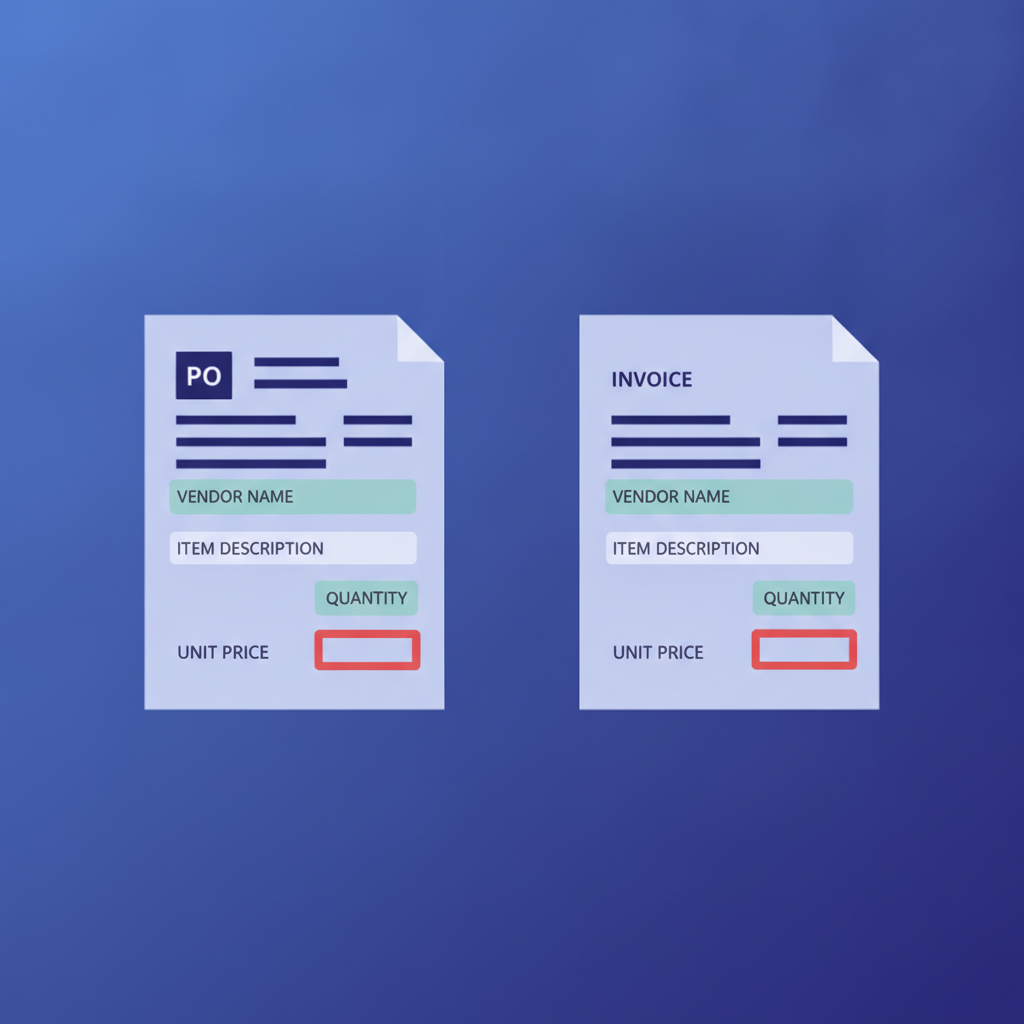
- Price drift. The vendor invoices at a price that has changed since the PO was raised, often because a contract amendment was never reflected in the PO system.
- Quantity discrepancies. Partial shipments invoiced as full deliveries, or returns not credited before the next invoice cycle.
- Missing PO references. Some vendors omit the PO number entirely, forcing AP staff to search manually for the matching document.
- Duplicate invoices. The same invoice submitted twice, sometimes in different formats (PDF and paper).
- Line item misalignment. The invoice bundles items the PO lists separately, or vice versa, making automated comparison fail even when the totals are correct.
Clean extracted data makes every one of these easier to catch, because you can run string or numeric comparisons instead of squinting at two PDFs side by side.
Getting Started: Free Tier and Pricing
Invoscope's free tier gives you 10 invoice extractions per month with no credit card required, and failed extractions are refunded to your quota. That covers a small business running a basic 2-way match by hand, or a larger team piloting the workflow before committing. Paid plans start at $9.99 per month (Starter, 100 invoices), with Pro at $49.99 per month for 1,000 invoices. You can review the full options on the pricing page.
Frequently Asked Questions
Is a purchase order the same as an invoice?
No, a purchase order and an invoice are different documents. The buyer issues the purchase order before delivery to authorize the purchase, and the supplier issues the invoice after delivery to request payment for it.
Which comes first, a purchase order or an invoice?
The purchase order comes first. The buyer sends the PO, the supplier delivers the goods or services, and only then does the supplier send an invoice that references the PO number.
Can you have an invoice without a purchase order?
Yes, many invoices arrive without a purchase order, especially for utilities, subscriptions, small one-off purchases, and services billed on a contract. These "non-PO invoices" cannot be PO matched, so AP usually routes them to the budget owner for approval instead.
What is a PO number on an invoice?
A PO number on an invoice is the reference to the buyer's purchase order that authorized the purchase. AP uses it to find the right PO (and goods receipt) to match against, which is why invoices with a missing or wrong PO number are one of the most common causes of matching delays.
The Short Version
A purchase order is a pre-delivery commitment from the buyer. An invoice is a post-delivery payment request from the supplier. PO matching is the AP process that compares the two (and often a goods receipt as well) to catch errors before money moves. The biggest friction point in that process is getting clean, structured data out of incoming invoice PDFs. That is the exact problem Invoscope solves (it is the extraction layer, not the matching or payment system), in about 5 seconds per invoice, at 99.2% accuracy, without any template setup.
Ready to see it on your own invoices? Create a free Invoscope account and run your first 10 extractions at no cost.
Related reading: What Is 3-Way Matching? Invoice, Purchase Order, and Receipt Matching Explained
Related reading: What Is GL Coding and How to Code Invoices to the Right Account Faster