

GL coding invoices (also called coding invoices) means assigning every invoice, or every line item on an invoice, to the correct general ledger account so the expense lands in the right place in your books. It is the step between receiving a supplier invoice and approving it for payment.
Updated October 2026.
Invoscope does not choose GL codes or post to your ledger. It speeds up the step before coding by extracting clean, structured line-item data from any invoice PDF in roughly 5 seconds, giving your finance team numbers they can code directly rather than numbers they first have to re-type from a scanned image.
What Is GL Coding?
Every business tracks spending by category: office supplies, software subscriptions, raw materials, travel, professional services, and so on. Each category has a numeric code inside your chart of accounts, which is the master list that lives in your accounting or ERP system. When an invoice arrives, someone has to look at what was purchased and type that code onto the transaction record. That is GL coding. The glossary has a one-line definition of GL coding if you need it for onboarding new AP staff.
The general ledger is the single source of truth for all financial activity. If an invoice is coded to the wrong account, every report that pulls from that account is distorted: your P&L shows the wrong expense mix, budget variances look wrong, and tax categorizations may need to be corrected later. The stakes are real, even for a ten-dollar charge.
Example: Coding Invoices Line by Line
Coding invoices is easiest to understand with a real example. Here is a single supplier invoice from an office and facilities vendor, with each line mapped to a different GL account:
| Invoice Line | Amount | GL Account | Why |
|---|---|---|---|
| Copy paper, 10 cases | $420.00 | 6010 Office Supplies | Consumable used in day-to-day operations |
| Laser printer (1 unit) | $1,850.00 | 1500 Office Equipment | Above the capitalization threshold, so it is an asset, not an expense |
| Annual printer support plan | $300.00 | 6150 Repairs and Maintenance | Service contract, not a physical good |
| Delivery charge | $45.00 | 6310 Freight and Shipping | Itemized surcharge tracked separately |
| Sales tax | $183.60 | 2200 Sales Tax Payable (or expensed, per your policy) | Treatment depends on jurisdiction and recoverability |
If someone codes the invoice total of $2,798.60 to Office Supplies, the printer never shows up as an asset and the support plan disappears into the wrong expense line. That is why line-level data matters, and why the hardest part of invoice OCR is getting those lines out cleanly (see why line-item extraction is the hardest part of invoice OCR).
A Typical GL Coding Workflow
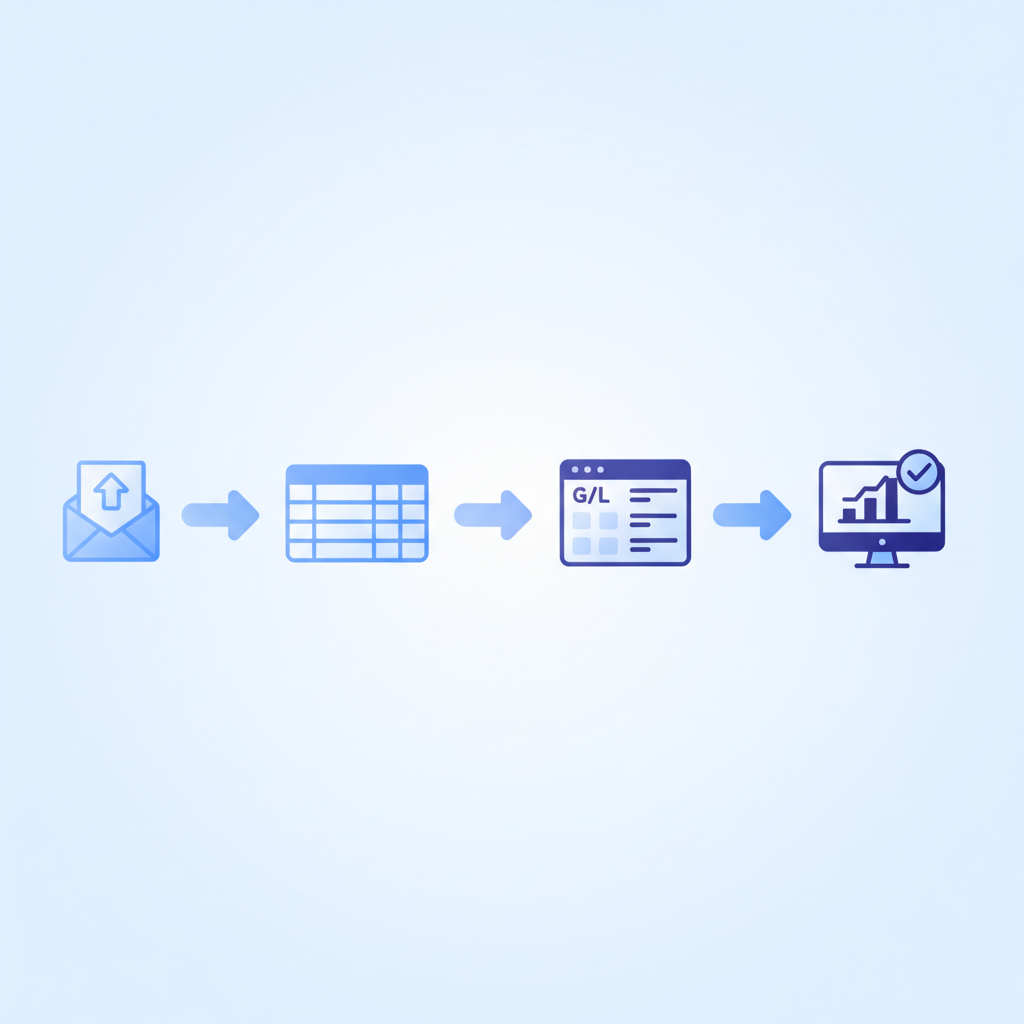
Before any code is assigned, the invoice data has to be readable. A simplified version of the workflow looks like this:
- Invoice arrives (email attachment, paper scan, or upload).
- Header data is captured: vendor name, invoice number, date, total amount.
- Line items are captured: description, quantity, unit price, line total.
- Each line item is matched to a GL account code from the chart of accounts.
- The coded record enters the accounting system for approval and payment.
Steps 2 and 3 are where the biggest delays and errors occur when teams rely on manual entry. A coder who mis-reads a vendor name, skips a line item, or types a wrong amount will introduce a coding error before the GL account is even chosen.
Why GL Coding Errors Happen (and Cost More Than You Think)
Most GL coding mistakes are not caused by accountants choosing the wrong account. They are caused by bad input data. When someone manually types 15 line items from a dense supplier invoice, a few things go wrong:
- Line items get merged: two separate charges become one lump sum with a single code.
- Descriptions are abbreviated or paraphrased, making the right account ambiguous.
- Amounts are transposed (think $1,560 entered as $1,650).
- Items are simply skipped when invoices run to multiple pages.
According to research cited in our analysis of the real cost of manual invoice processing, error rates for manual invoice data entry commonly run between 1% and 5%. On a team processing 500 invoices a month, even a 2% error rate means 10 invoices with flawed data entering the GL every single month. Each correction typically costs more time than the original entry.
The downstream effect is real: auditors flag unexplained variances, month-end close takes longer, and finance managers spend hours reconciling reports that should balance automatically.
How Structured Extraction Changes the Coding Step
The insight here is straightforward. GL coding itself, the act of choosing the right account, takes maybe 5 to 15 seconds per line item once the data is clean. The problem is that the data is rarely clean when it arrives from a manual keying step.
Invoscope extracts invoice data at 99.2% accuracy and returns a structured table, vendor details, invoice header, and every line item with its description, quantity, unit price, and extended amount, ready to export to Excel or CSV. That structured output means your coder looks at a clean, complete row and assigns a code. They do not transcribe anything. They do not guess what an abbreviated description means. They do not wonder whether the subtotal and the sum of the line items actually agree.
The time saving compounds quickly. For a finance team handling 200 invoices a month with an average of 6 line items each, that is 1,200 line-item transcription events eliminated per month before a single GL code is assigned.
You can read more about how the extraction itself works in our guide to invoice data extraction methods and best practices.
Quick Analyze vs Smart Projects: Which Mode for GL Coding?
Invoscope offers two extraction modes. The right choice depends on your volume and workflow.
| Factor | Quick Analyze | Smart Projects |
|---|---|---|
| Best for | One-off or low-volume invoices | Recurring vendor batches or high volume |
| Batch upload | No | Yes |
| Consistent output columns | Standard fields | Custom columns, consistent across the project |
| Ideal GL coding use case | Ad hoc invoices, one vendor at a time | Monthly close: all invoices from the same vendor group processed together |
| Export format | Excel, CSV, JSON | Excel, CSV, JSON |
| Processing speed | About 5 seconds per invoice | About 5 seconds per invoice, processed as a batch |
For finance teams running a monthly coding cycle, Smart Projects is the natural fit. You upload all invoices from a vendor or category at once, get a uniform output table, paste your GL codes into the code column, and import the result directly into your accounting system. The consistent column structure means you can even pre-map common vendor categories to GL codes in a template spreadsheet.
Common GL Account Categories and the Line Items That Feed Them
The table below shows typical GL account categories, the invoice line items most often coded to them, and where mismatches tend to occur.
| GL Account Category | Typical Invoice Line Items | Common Coding Error |
|---|---|---|
| Office Supplies (e.g., 6010) | Printer paper, toner, pens, notebooks | Bundled with equipment purchases under a single vendor invoice |
| Software / SaaS (e.g., 6110) | Subscription fees, license seats, add-ons | Coded as IT hardware when vendor name is unfamiliar |
| Professional Services (e.g., 6200) | Consulting hours, agency retainers, legal fees | Merged with payroll or subcontractor costs |
| Freight and Shipping (e.g., 6310) | Carrier fees, fuel surcharges, handling | Lumped into COGS when itemized surcharges are missed |
| Utilities (e.g., 6400) | Electricity, internet, phone | Coded as rent when paid on a combined landlord invoice |
| Raw Materials / COGS (e.g., 5000) | Component parts, packaging, ingredients | Mixed with indirect supply purchases when invoice lists both |
Notice that the "common coding error" column almost always traces back to line items being bundled, missed, or ambiguous in the source data. Clean extraction fixes most of those upstream.
A Practical GL Coding Workflow with Invoscope
Here is a step-by-step routine that finance teams use to cut coding time without adding any new software to their accounting stack.
- Upload invoices to Invoscope. Drop PDFs into Smart Projects, grouped by vendor or expense category. Processing takes about 5 seconds for a typical invoice; longer multi-page invoices take a little more.
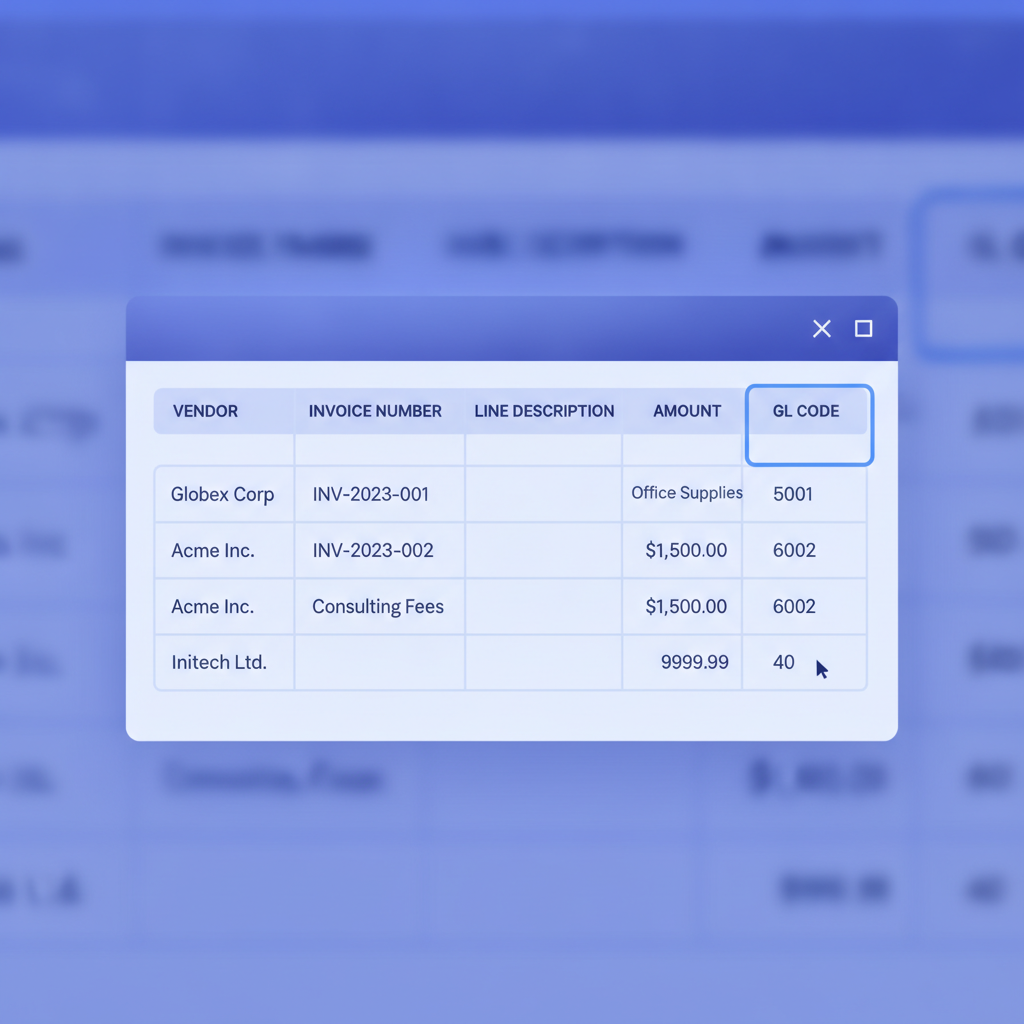
- Export the structured table. Download the Excel or CSV file. Every row is one line item. Columns include vendor, invoice number, date, description, quantity, unit price, and line total.
- Add a GL Code column. Insert a column next to the description. For recurring vendors, auto-fill with a VLOOKUP against your chart of accounts. For new vendors, assign manually. Because the descriptions are verbatim from the invoice, the right account is much easier to identify than from a hand-typed abbreviation.
- Review totals. Invoscope captures header totals and line-item totals separately. A quick SUM check confirms they reconcile before the data touches your accounting system.
- Import to your accounting software. Most accounting systems (QuickBooks, Xero, and Sage among them) accept CSV imports with a GL code column; Invoscope has no native integration with them, so the CSV or Excel export is the bridge. Our guide to connecting invoice extraction to accounting software covers the import options, and the finance team workflow guide covers integration options in more detail.
How GL Coding Fits Into the Wider Invoice Automation Picture
GL coding is one step in a longer invoice processing chain that includes receipt, extraction, coding, approval, and payment. Invoscope specifically solves the extraction step, which is the foundation everything else depends on. If the data coming out of extraction is wrong, every downstream step, including GL coding, approval matching, and reconciliation, inherits that error.
If you want to see how extraction plugs into the full automation chain, the complete guide to automating invoice processing covers each stage and the tools that handle them. Invoscope intentionally focuses on extraction so you can pair it with the accounting and ERP tools your team already uses, rather than replacing them.
Pricing: What Does This Cost?
Invoscope offers a permanent free tier of 10 invoices per month with no credit card required. Paid plans start at $9.99 per month. At that price point, the time saved on GL coding alone, typically 2 to 5 minutes per invoice in manual entry time, recovers the subscription cost within the first day of use on any meaningful invoice volume. See the full breakdown on the pricing page.
Frequently Asked Questions
What does it mean to code an invoice?
To code an invoice means to assign it, or each of its line items, to a general ledger account from your chart of accounts so the expense is recorded in the right category. Coding can also include cost center, department, project, or tax codes, depending on how your books are structured.
What is a GL code on an invoice?
A GL code on an invoice is the general ledger account number (for example 6010 for Office Supplies) that the buyer assigns to the invoice or line item. Suppliers do not print it; your AP team adds it during coding, often in a stamp, a column, or a field in the accounting system.
Who codes invoices in accounts payable?
Invoices are usually coded by an AP clerk or accountant, sometimes with input from the budget owner who requested the purchase. In smaller businesses the bookkeeper or owner does it; in larger teams, recurring vendors are pre-coded by rule and only new or unusual lines need a person.
Can invoice coding be automated?
Yes, partly. Vendor-based rules, lookups against past coding, and AI suggestions in accounting or AP software can assign most recurring codes automatically, but they all need clean, structured line-item data as input. An extraction tool like Invoscope supplies that data; the coding rules live in your spreadsheet or accounting system, and a person still reviews new vendors and exceptions.
The Short Version
GL coding is only as fast and accurate as the invoice data that feeds it. Manual data entry introduces errors before anyone even picks up the chart of accounts. Invoscope extracts structured, line-item-level data at 99.2% accuracy in about 5 seconds per invoice, so the coding step becomes a straightforward column-fill exercise rather than a transcription-plus-interpretation task. Finance teams that adopt this workflow can cut the time spent coding invoices substantially, without changing their accounting software.
Try it free with up to 10 invoices per month, no credit card needed. Create your free Invoscope account and upload your first invoice today.
Related reading: How to Export Invoice Data to Google Sheets Automatically
Related reading: What Is Agentic Invoice Processing and Do SMBs Actually Need It?