
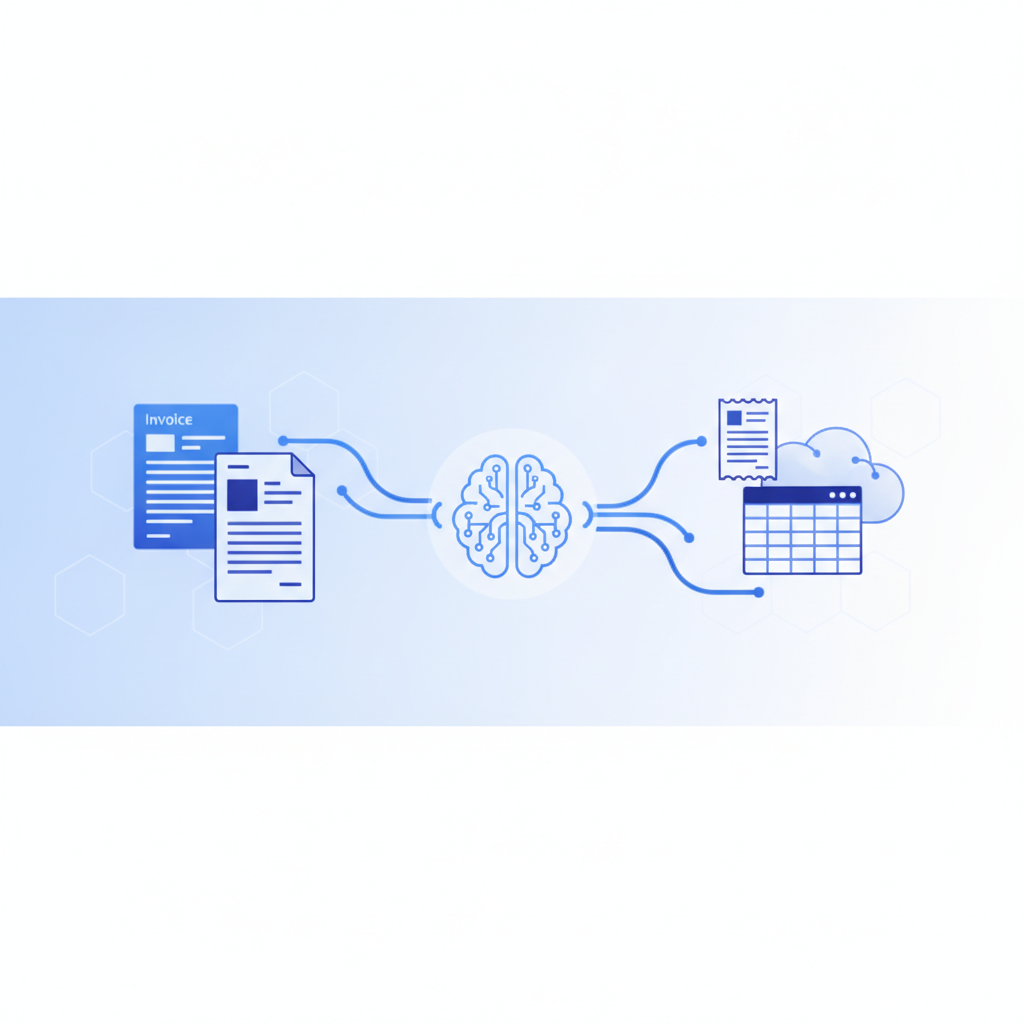
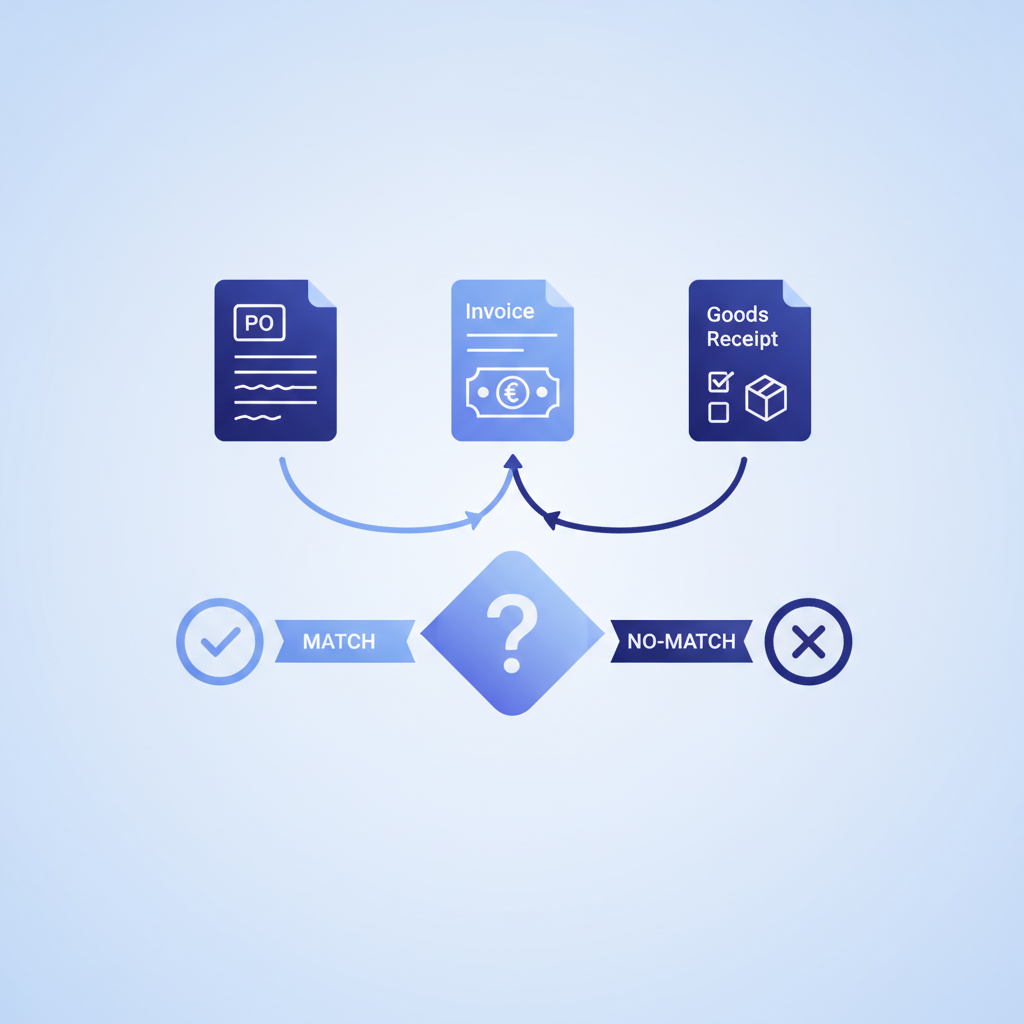
3-way matching is an accounts payable control that compares the supplier invoice, the purchase order (PO), and the goods receipt, and releases payment only when all three agree on items, quantities, and prices. A "3 way match invoice" is simply an invoice that has passed this check, which makes it safe to approve for payment.
Updated October 2026.
The receiving report is also called a goods receipt note. Invoscope does not perform the match itself; it speeds up the step before it by extracting structured, accurate data from every invoice in about 5 seconds, giving your AP team clean numbers to match against rather than raw PDFs to read manually.
Why 3-Way Matching Exists
The short answer is fraud and error prevention. Without a cross-check, a business could pay for goods it never received, pay twice for the same shipment, or pay an amount that was never agreed upon. A two-document check (invoice against PO alone) catches pricing mismatches but misses short deliveries. Bringing the receiving report into the comparison closes that gap.
Finance teams at mid-size companies report that invoice discrepancies account for roughly 1 to 3 percent of total spend when matching controls are weak. On a $5 million annual supplier spend, that is $50,000 to $150,000 in overpayments, duplicate payments, and fraud exposure. Those numbers explain why auditors and ERP vendors treat 3-way matching as a baseline control, not an optional feature.
The Three Documents Compared
Each document plays a specific role in the comparison. Here is what AP teams are checking when they line them up:
| Document | Who Creates It | What It Confirms | Key Fields Checked |
|---|---|---|---|
| Purchase Order (PO) | Buyer (your company) | What was ordered and at what price | PO number, line items, quantities, unit prices, vendor name |
| Goods Receipt / Receiving Report | Buyer (warehouse or receiving team) | What was actually delivered | Quantities received, delivery date, condition notes |
| Supplier Invoice | Supplier | What the supplier is requesting payment for | Invoice number, line items, quantities billed, unit prices, totals, payment terms |
A match occurs when all three documents agree on vendor identity, quantities, unit prices, and total amounts within any tolerance your team has set (commonly within 1 to 2 percent for rounding). When any figure falls outside tolerance, the invoice goes into an exception queue for investigation before payment is released.
What Is PO Matching?
PO matching (purchase order matching) is the AP practice of checking a supplier invoice against the purchase order that authorized the purchase before the invoice is paid. 3-way matching is one level of PO matching. The levels differ only in how many documents are compared, and each extra document closes a gap the previous level leaves open.
For the basics of how the two core documents differ, see our guide to purchase order vs invoice. The glossary also has short definitions of 2-way matching and 3-way matching.
2-Way vs 3-Way vs 4-Way Matching
Not every AP team uses all four document types. The level of matching your business needs depends on spend volume, supplier relationships, and the nature of goods or services being purchased.
| Matching Type | Documents Compared | What It Catches | Best For | Gap It Leaves |
|---|---|---|---|---|
| 2-Way | Invoice + PO | Price differences, unordered items, wrong vendor | Services, subscriptions, trusted recurring vendors | Cannot detect short or incorrect deliveries |
| 3-Way | Invoice + PO + Goods Receipt | Everything 2-way catches, plus billing for goods that never arrived | Physical goods, inventory purchases, most manufactured goods | Does not verify inspection quality |
| 4-Way | Invoice + PO + Goods Receipt + Inspection Report | Everything 3-way catches, plus goods that arrived but failed quality checks | Pharmaceuticals, aerospace parts, regulated goods | High process overhead; overkill for most industries |
For most product-based businesses, 3-way matching is the practical standard. It catches the majority of real-world discrepancies without the overhead of maintaining a formal inspection record for every line item.
How Manual 3-Way Matching Works (And Where It Breaks)
In a manual workflow, an AP clerk receives a PDF invoice by email, pulls the corresponding PO from an ERP or spreadsheet, locates the goods receipt from the warehouse system, and compares the three documents side by side. When everything lines up, they post the invoice for payment. When it does not, they start an email thread with the procurement team or supplier to resolve the difference.
This sounds straightforward. In practice, it is slow and error-prone for several reasons:
- Invoice data has to be re-entered manually into the ERP or spreadsheet. A single invoice can have 20 to 50 line items. A miskeyed quantity or unit price creates a false discrepancy that wastes hours to investigate.
- High invoice volumes overwhelm small AP teams. Research cited in our real cost of manual invoice processing analysis puts the average manual cost at $12 to $30 per invoice, with processing times of 3 to 5 business days.
- PO numbers are often missing, wrong, or buried in a notes field on the invoice, making it hard to even locate the right PO to match against.
- Seasonal volume spikes create backlogs that delay payments, which damages supplier relationships and causes early-payment discounts to be lost.
The root cause of almost every manual matching failure is the same: the invoice arrives as an unstructured PDF, and getting the data out of it accurately requires human attention for each document.
How Automated 3-Way Matching Works
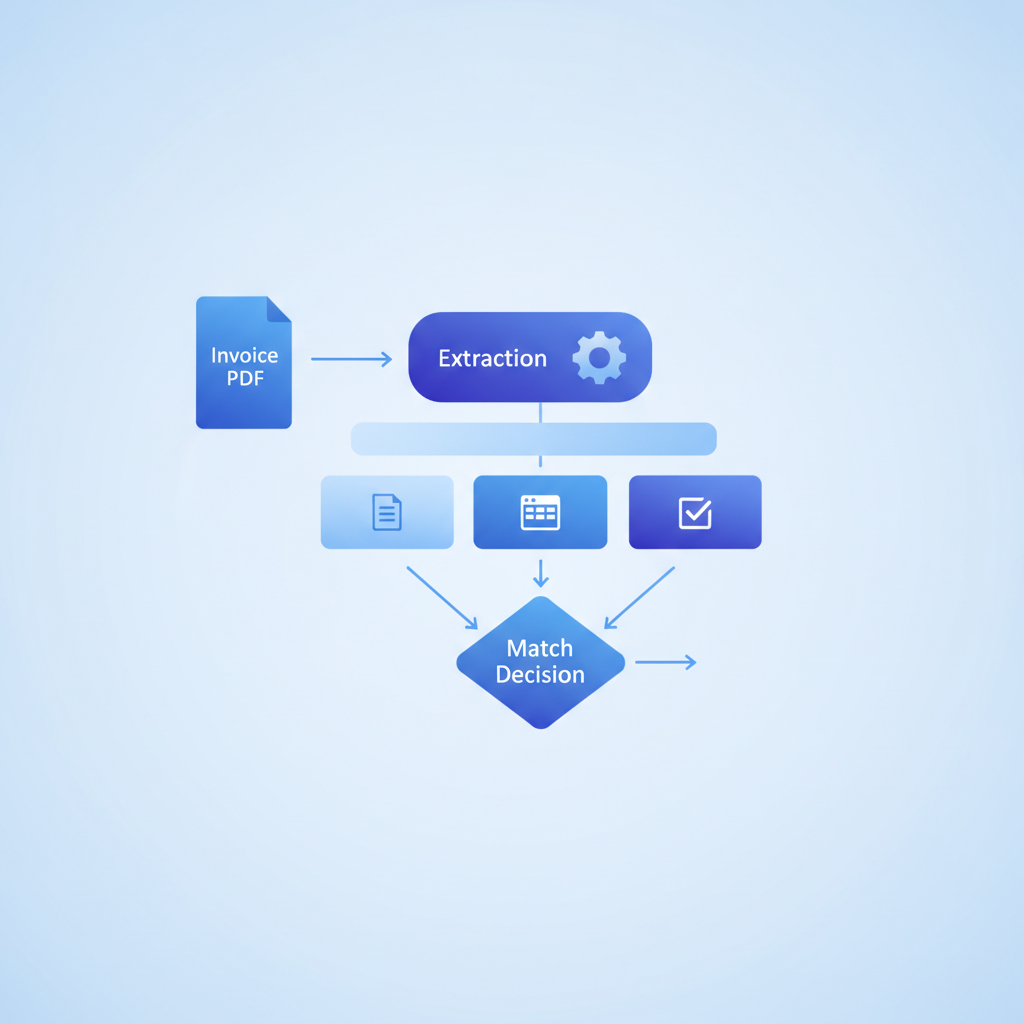
Automated matching replaces the manual read-and-retype step with a software pipeline. The key stages are:
- Capture: Invoices arrive by email, upload, or API. They come in as PDFs, scanned images, or sometimes Word documents.
- Extract: An AI extraction tool reads every field: vendor name, invoice number, PO reference, line items, quantities, unit prices, tax, and totals. This is where accuracy is critical. One wrong digit propagates through the entire match.
- Normalize: Extracted data is formatted consistently so it can be compared programmatically (dates in one format, currency symbols stripped, unit abbreviations standardized).
- Match: The system looks up the PO and goods receipt by the extracted PO number, then compares field by field within your configured tolerances.
- Route: Matched invoices go straight to payment approval. Exceptions are flagged with the specific field that caused the mismatch so a human can resolve only the genuine problems.
The extraction step is the foundation everything else depends on. If the AI misreads a quantity or truncates a line item description, the downstream match fails for the wrong reason. That is why extraction accuracy is not a footnote; it is the primary lever controlling how much time your AP team spends on exceptions.
Where Invoscope Fits in the 3-Way Matching Pipeline
Invoscope is not AP automation software, an ERP, a matching engine, or an approval or payments tool. It is the extraction layer: the step that converts your incoming invoice PDFs into clean, structured Excel or CSV data that your matching tool, ERP, or spreadsheet can actually use.
Here is what that means in practice. When an invoice arrives, you upload it to Invoscope (or send it via the API). In about 5 seconds, Invoscope returns every field, including line items, as structured data at 99.2% accuracy. That data goes into your ERP, spreadsheet, or matching tool as the invoice record. From there, your matching logic compares it to the PO and goods receipt just as it would with any other structured record.
Two modes cover different volume patterns:
- Quick Analyze (see the Quick Analyze feature page): For single invoices or low-volume spot checks. Upload one invoice, get structured data immediately.
- Smart Projects (see the Smart Projects feature page): For batch processing. Group a month's worth of supplier invoices into a project, extract them all at once, and export a single Excel file ready for bulk matching. This is the mode that makes sense for AP teams processing dozens or hundreds of invoices per month.
Because Invoscope requires no template setup, it handles invoices from new suppliers immediately, without the configuration delay that template-based OCR tools require. For AP teams dealing with a fragmented supplier base (common in construction, logistics, and wholesale), that matters a lot.
The broader workflow context is covered in our guide on how to automate invoice processing, which explains how extraction, matching, and approval steps connect into a full pipeline.
Common 3-Way Matching Exceptions and How to Handle Them
Even with automated extraction, discrepancies occur because suppliers make billing mistakes. Knowing the common exception types helps AP teams resolve them faster:
- Quantity mismatch: Invoice bills for 100 units; goods receipt confirms 92 were delivered. Resolution: issue a partial payment or request a credit note for 8 units.
- Price variance: Invoice unit price differs from PO unit price. Resolution: check if a price change was agreed upon after the PO was issued. If not, dispute the difference with the supplier.
- Missing PO reference: Supplier did not include a PO number on the invoice, making automated lookup impossible. Resolution: contact the supplier, or use vendor name and approximate amount to locate the PO manually.
- Duplicate invoice: Supplier sends the same invoice twice under different invoice numbers. Resolution: duplicate detection logic flags identical amounts and vendors within a lookback window.
- Tax or freight add-ons: Supplier adds shipping or tax charges not specified in the PO. Resolution: check whether your PO terms include or exclude freight, and whether tax is expected.
For reconciliation workflows that go beyond single-invoice matching, the invoice reconciliation software guide covers how to match invoice batches to POs at scale.
3-Way Matching Tolerances: Setting Them Right
No matching system should require a perfect dollar-for-dollar match on every line. Rounding differences, currency conversion, and minor freight adjustments create tiny variances that are not real discrepancies. Most AP policies set a tolerance of 0.5 to 2 percent of line item value, or a flat dollar amount (for example, no exception if the variance is under $5).
Setting tolerances too tight wastes time on non-issues. Setting them too loose lets real errors through. A good starting point: apply a 1 percent or $10 tolerance (whichever is smaller) for standard commodity purchases, and tighten to zero tolerance for high-value capital equipment invoices where even a small variance can represent significant money.
Does 3-Way Matching Work for Service Invoices?
Technically, yes, but it is less common. Service POs specify hours or deliverables rather than physical units, and there is no goods receipt. Instead, a timesheet, delivery acceptance form, or statement of work sign-off plays the role of the receiving report. Some organizations call this 3-way matching; others call it enhanced 2-way matching.
If your spend is primarily services (consulting, SaaS subscriptions, staffing), 2-way matching against signed statements of work is usually sufficient and far easier to automate than tracking a separate receipt document for every engagement.
What to Look for in an Extraction Tool for 3-Way Matching
If you are evaluating tools to handle the extraction step of your matching workflow, these are the criteria that matter most:
| Criterion | Why It Matters for Matching | Invoscope |
|---|---|---|
| Line-item extraction accuracy | Matching happens at the line level, not just invoice totals | 99.2% accuracy, full table capture |
| PO number extraction | Without a PO number, automated lookup fails | Extracted as a standard field |
| No template setup | New suppliers can be processed immediately | No templates required |
| Processing speed | Slow extraction creates approval bottlenecks | About 5 seconds per invoice |
| Batch processing | Month-end matching requires bulk export | Smart Projects for bulk batches |
| Export format | Data must flow into ERP or matching tool | Excel, CSV, JSON, plus a REST API on paid plans |
| Cost to start | Low-volume teams need a real free tier | Free tier: 10 invoices/month, no credit card. Paid plans from $9.99/month |
For a broader comparison of how Invoscope positions against enterprise AP platforms on these criteria, see the enterprise AP software comparison.
Getting Started: A Practical Setup for Small and Mid-Size AP Teams
You do not need a full ERP implementation to run effective 3-way matching. A lean AP team can get a working process in place using tools they likely already have:
- Maintain a PO register in Excel or Google Sheets with columns for PO number, vendor, line items, quantities, and agreed prices.
- Log goods receipts in the same sheet or a linked tab as deliveries are confirmed.
- Upload incoming invoices to Invoscope using Smart Projects. Export the extracted data as Excel.
- Use VLOOKUP or XLOOKUP to pull PO data and receipt data by PO number, then calculate variances per line.
- Flag rows where variance exceeds your tolerance threshold. Route flagged invoices for manual review before payment.
This setup handles hundreds of invoices per month without any custom software. As volume grows, the same extracted data can be imported into your accounting platform or ERP as CSV or Excel, or pulled through the Invoscope REST API into tools like Zapier and n8n, where your own matching logic automates the lookup and comparison steps.
Frequently Asked Questions
What is PO matching?
PO matching is the accounts payable check that compares a supplier invoice to the purchase order behind it before the invoice is paid. Depending on the level of control, AP compares just the invoice and PO (2-way), adds the goods receipt (3-way), or also adds an inspection report (4-way).
What is the difference between 2-way and 3-way matching?
2-way matching compares only the invoice and the purchase order, while 3-way matching also compares the goods receipt. The extra document lets 3-way matching catch invoices for goods that were never delivered or were delivered short, which 2-way matching cannot see.
What happens when a 3-way match fails?
When a 3-way match fails, the invoice is held in an exception queue and is not paid until the discrepancy is resolved. AP investigates the field that broke the match (quantity, price, or a missing PO number), then contacts the supplier or the receiving team, requests a credit note, or approves a partial payment.
Can 3-way matching be automated?
Yes, 3-way matching can be automated once all three documents are available as structured data. The PO and goods receipt usually already live in an ERP or spreadsheet, so the hard part is turning supplier invoice PDFs into clean fields. An extraction tool such as Invoscope handles that step, and your ERP, matching software, or spreadsheet formulas run the comparison itself.
The Bottom Line on 3-Way Matching
3-way matching is a straightforward control: confirm that what you ordered, what arrived, and what you are being billed for all agree before releasing payment. The concept is simple. The execution challenge is getting clean, structured data out of supplier invoices fast enough that matching does not become a bottleneck.
Invoscope solves that specific problem, and only that problem: it is the extraction layer, not the matching or approval system. It extracts every field from every invoice in seconds, at 99.2% accuracy, with no template setup and no credit card required to start. The data it produces is the input that makes automated matching reliable rather than theoretical.
Try it free with your own invoices, including up to 10 per month at no cost, and see how much cleaner your matching workflow becomes when the extraction step stops being the hard part. Create your free Invoscope account to get started.
Related reading: Purchase Order vs Invoice: The Difference and How They Get Matched in AP Workflows
Related reading: What Is GL Coding and How to Code Invoices to the Right Account Faster
Related reading: How to Export Invoice Data to Google Sheets