

The best invoice scanner and OCR software for a small business is a tool that turns paper, scanned, and PDF invoices into structured data (vendor name, invoice number, dates, line items, tax, and totals) without per-vendor templates, at a price that fits a small budget. Invoscope is built for exactly that job: it reads an invoice and returns clean Excel, CSV, or JSON data in about 5 seconds, with 99.2% field accuracy on a 5,000-invoice benchmark, and it offers a permanent free tier of 10 invoices per month with no credit card required.
Updated October 2026.
Why Small Businesses Need Invoice OCR, Not Full AP Software
Full accounts payable platforms come with approval workflows, ERP connectors, audit trails, and price tags to match. For a five-person e-commerce shop or a solo bookkeeper handling client invoices, most of that is dead weight. What you actually need is an invoice scanner that gets data off the page accurately, fits a tight budget, and starts working on day one, without a two-week onboarding call.
"Invoice scanner" and "invoice OCR software" describe the same job from two angles: capturing the invoice (with a phone, a desktop scanner, or a PDF from email) and then reading it. If you want the technical background, our explainer on what invoice OCR is and how it works covers the process step by step, and the glossary entry on invoice OCR gives the short definition.
If you want a broader look at how extraction fits into your overall process, the guide on invoice data extraction methods and best practices covers the full picture. This post focuses on scanning and OCR tools priced and designed for small business use. If you are comparing the wider market, including enterprise platforms, see our roundup of the best AI invoice processing software.
What to Look for in Small Business Invoice Scanner Software
- A real free tier. A 14-day trial that expires is not the same as a permanent free plan. Small businesses with low monthly volume should be able to use a tool indefinitely at no cost.
- No template setup. Legacy OCR tools require you to build a template for every vendor layout. AI-powered tools read any invoice cold, which matters when you receive invoices from dozens of different suppliers.
- Phone and scan capture. Paper invoices still arrive by post and in delivery boxes. The tool should accept photos (JPG/PNG) and scanned PDFs, not just digital PDFs.
- Line item accuracy. Header fields like vendor and total are easy. The real test is whether every line item, quantity, and unit price lands in the right column.
- Transparent pricing. Per-page or per-credit pricing makes budgeting unpredictable. Flat monthly plans with a clear invoice allowance are easier to manage.
- Excel or CSV export. Most small businesses live in spreadsheets. Direct export to .xlsx or .csv removes an extra conversion step.
The Best Invoice Scanner and OCR Software for Small Business in 2026: Compared
The table below covers the tools most commonly evaluated by small business owners and bookkeepers. Competitor pricing reflects public plans as of October 2026; confirm with each vendor before buying.
| Tool | Free Tier | Starting Paid Price | No-Template AI | Excel / CSV Export | Best For |
|---|---|---|---|---|---|
| Invoscope | 10 invoices/mo, no credit card | $9.99/mo (100 invoices) | Yes (Google Gemini) | Yes (.xlsx, .csv, and JSON) | SMBs, freelancers, bookkeepers |
| Parseur | 20 pages/mo | Volume-based tiers | Yes (AI parser, templates optional) | Yes (via integrations) | Email-heavy workflows |
| Mindee | Check vendor | Usage-based | Yes (API) | Via API output | Developers building integrations |
| Veryfi | 100 documents/mo | $500/mo minimum (Starter) | Yes (API) | Via API output | Developers building invoice and receipt capture |
| Docparser | Check vendor | $39/mo ($32.50 billed annually) | No (template rules required) | Yes | Recurring fixed-format documents |
| Nanonets | $50 in free credits | About $100/mo for 100 credits | Yes | Yes | Teams building agentic AI document workflows |
| Klippa (now Doxis) | No self-service plan | Sales-led quote | Yes | Yes | Enterprise compliance and Peppol e-invoicing |
Veryfi, Nanonets, and Klippa (Doxis) are built for developers or for teams with larger budgets and more complex workflows. They are worth exploring if you are building your own app or scaling toward mid-market, but they are often more than a small business needs when the goal is clean spreadsheet data fast.
Invoscope in Detail: What Small Businesses Actually Get
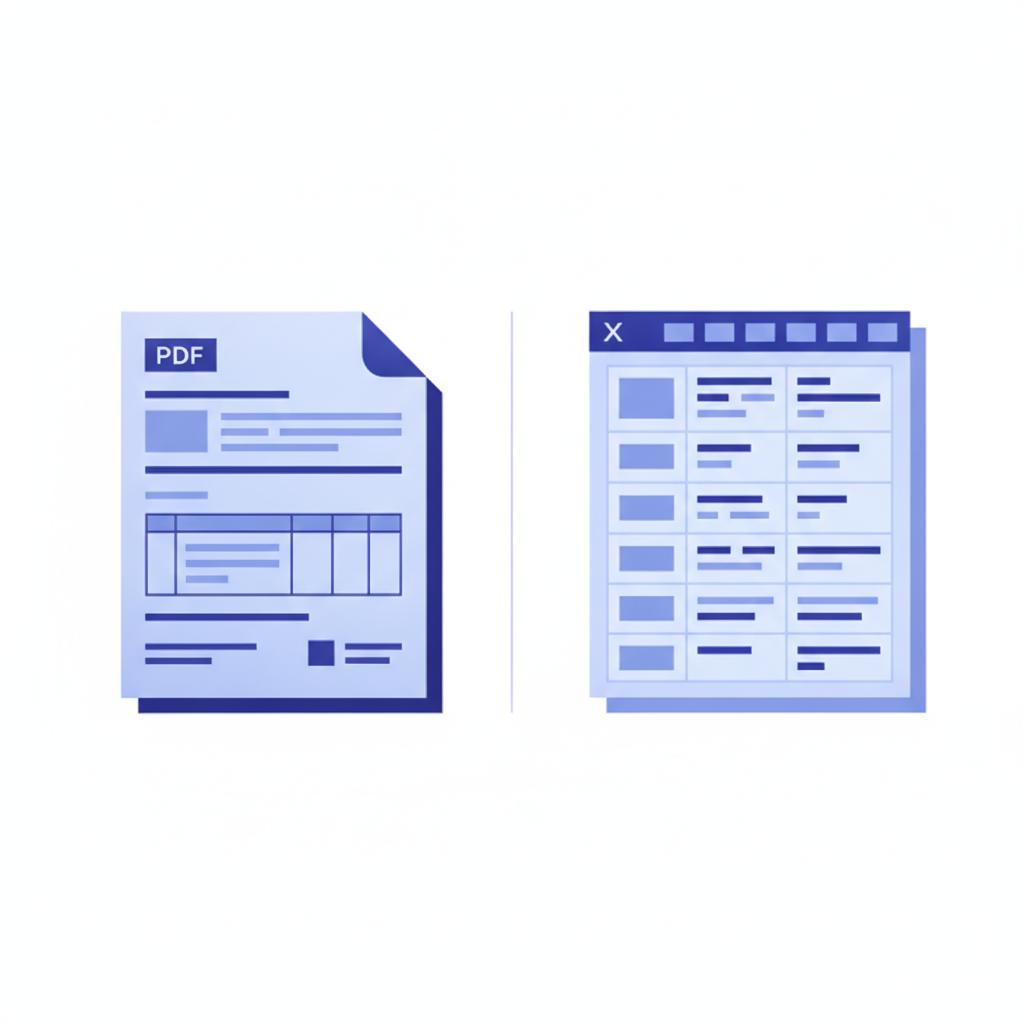
Invoscope offers two modes designed for different use patterns.
Quick Analyze
Quick Analyze is a one-at-a-time extraction mode. You drop in an invoice PDF, Invoscope reads it with Google Gemini AI, and you get structured data in about 5 seconds, ready to export to Excel. No templates, no field mapping, no configuration. It works on invoices from any vendor, in any layout, including scanned paper invoices saved as PDF. This is the mode most small business owners reach for when they need data out of one invoice right now.
Smart Projects
Smart Projects is the batch mode. You create a project, choose the columns you want, upload a set of invoice PDFs or images (JPG/PNG, such as phone photos of paper invoices), and Invoscope processes them in bulk, returning a single consolidated spreadsheet with every invoice's data in rows. For an e-commerce business reconciling 50 supplier invoices at month end, this cuts hours of manual entry to a few minutes.
Pricing
The free tier gives you 10 invoices per month with no credit card and no expiry. Paid plans start at $9.99 per month for 100 invoices ($8.33/month billed annually), with Pro at $49.99 per month for 1,000 invoices and Enterprise at $99.99 per month for unlimited invoices. You can see the full breakdown on the pricing page. There are no per-page fees on top of your plan, and failed extractions are refunded to your quota automatically so you never pay for a bad result.
What Invoscope Is Not
Invoscope is the extraction layer, not accounting software. It does not handle payments, approvals, or bookkeeping, and it has no native QuickBooks or Xero integration. Instead, you export Excel or CSV files to import wherever you need them, and paid plans include a REST API that teams connect through Zapier or n8n. Invoices are processed in memory and never stored permanently.
Scanning Paper Invoices: Phone, Scanner, or PDF?
Most small businesses receive a mix: PDFs by email, paper invoices in the post, and the occasional crumpled delivery note. A good invoice scanner workflow handles all three without separate tools.
- Phone photos. Lay the invoice flat on a dark, even surface, shoot straight down in good light, and make sure all four corners are in frame. Upload the JPG or PNG files to a Smart Project. This is the fastest way to clear a pile of paper.
- Phone scanner apps. Document scanner apps on iOS and Android (including the one built into Notes on iPhone) crop and flatten the page and can save it as a PDF, which you can then drop into Quick Analyze.
- Desktop or office scanners. For large backlogs, a sheet-fed scanner at 300 DPI produces clean PDFs that OCR reads reliably.
- Digital PDFs. Invoices emailed as PDFs need no scanning at all and usually give the best accuracy.
For a full walkthrough of setting up a paper-to-data routine, including filing and naming conventions, read our guide on how to digitize paper invoices.
Head-to-Head: Invoscope vs. the Other Tools Small Businesses Consider
Each of the six tools Invoscope is most often compared against has a dedicated comparison page if you want to dig into specifics:
- Invoscope vs. Parseur: Parseur is a general AI document parser with many integrations and a 20-page free plan. Its page-based tiers mean multi-page invoices use more of your allowance, and it is less focused on invoice line item tables and batch spreadsheet exports.
- Invoscope vs. Mindee: Mindee is a developer invoice OCR API with usage-based pricing, so non-developer small business owners face a setup curve before extracting a single invoice.
- Invoscope vs. Docparser: Docparser is template-based, starting at $39 per month. A business receiving invoices from 30 different vendors would need to set up rules for 30 layouts before the tool becomes useful.
- Invoscope vs. Veryfi: Veryfi's free tier covers 100 documents per month for developers, but its paid Starter plan has a $500 per month minimum, which is hard to justify for a small business processing a few hundred invoices.
- Invoscope vs. Nanonets: Nanonets is a capable agentic AI platform, but its credit-based pricing (about $100 per month for 100 credits after $50 in free credits) is harder to budget than a flat invoice allowance.
- Invoscope vs. Klippa: Klippa, now operating as Doxis, is enterprise-focused with sales-led pricing and compliance features such as Peppol e-invoicing that most small businesses will not need yet.
Accuracy: Why It Matters More Than Price
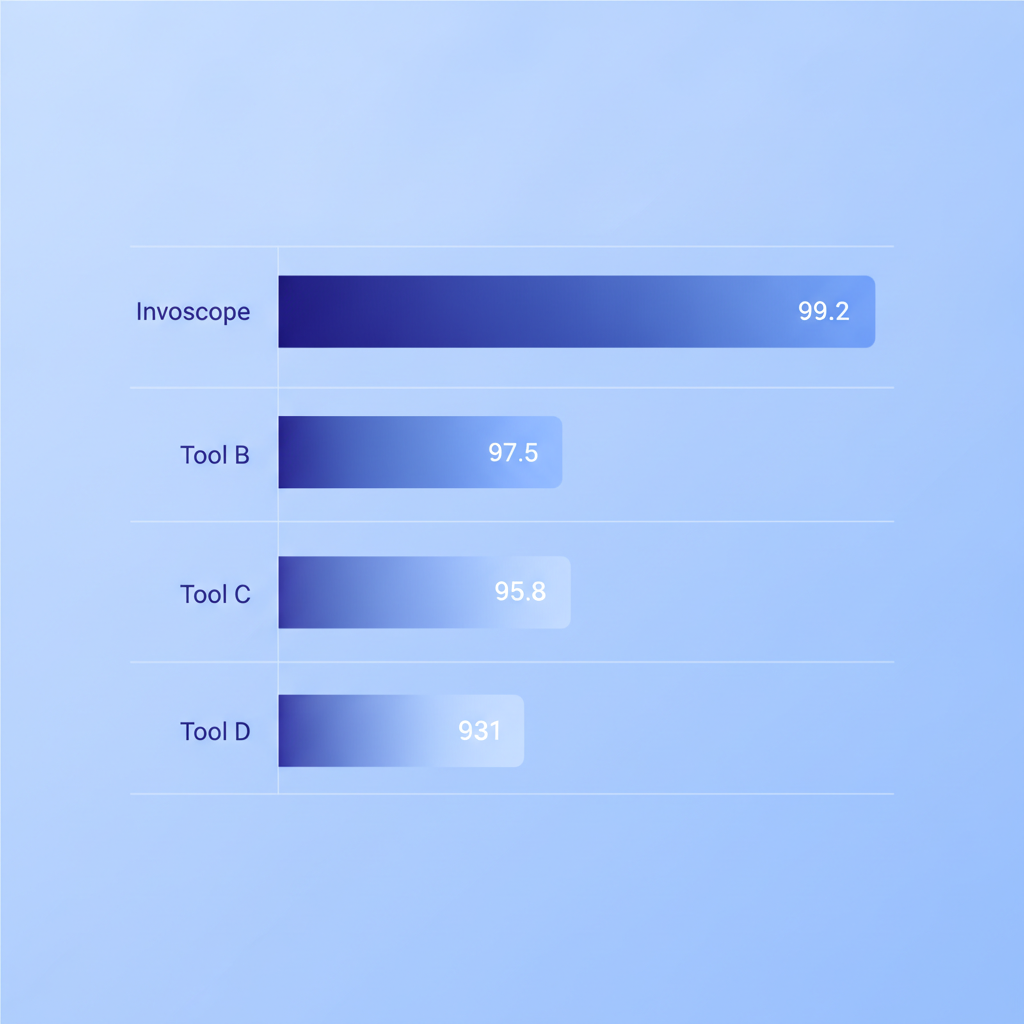
An invoice OCR tool that is cheap but inaccurate is worse than no tool at all, because you end up correcting bad data instead of just entering it manually. Invoscope publishes a public accuracy benchmark: 99.2% field accuracy across 5,000 invoices in 12 formats and 6 languages. You can review the methodology on the accuracy benchmark page.
To put that in practical terms: 50 invoices with about 12 fields each is roughly 600 fields. At 99.2% field accuracy, that is around 5 fields to check across the whole batch. At 90% accuracy, it becomes about 60 corrections, which quickly erodes the time savings OCR was supposed to provide.
Line Items Are the Real Test
Almost every invoice scanner gets the vendor name and total right. Where tools separate is the line item table: multi-line descriptions, items that wrap across pages, discounts on individual lines, and tax applied per row. When you trial a tool, test it on your messiest supplier invoice, not your cleanest one, and check that quantities, unit prices, and line totals add up to the invoice total. Our deep dive on why line item extraction is the hardest part of invoice OCR explains what to look for.
The Free Tier Question: Is 10 Invoices per Month Enough?
For some small businesses, yes. A sole trader who invoices a handful of clients and receives maybe 8 to 10 supplier invoices per month can use Invoscope at zero cost indefinitely. The free tier is permanent, not a trial, and it requires no credit card to start.
For businesses that process more volume, the math still favors Invoscope. At $9.99 per month for 100 invoices, the tool pays for itself the moment it saves you even 30 minutes of manual data entry. The cost comparison between manual entry and Invoscope runs through the numbers in detail if you want to verify that calculation for your own situation.
Setup Time: A Real Differentiator
One underappreciated factor for small business owners is how long it takes to get value from a new tool. Docparser and similar template-based parsers can take hours to configure before they process a single real invoice correctly, and developer APIs like Mindee and Veryfi need code before you see a spreadsheet. Invoscope has no template setup. You sign up, upload an invoice, and get structured data back in about 5 seconds. The entire onboarding, from account creation to first extraction, takes under two minutes for most users.
Which Invoice Scanner Should a Small Business Choose?
If you process fewer than 10 invoices per month and want a permanent free option with no configuration overhead, Invoscope's free tier covers you completely. If your volume is higher, the $9.99 starting plan is one of the lowest flat-rate entry points among AI invoice OCR tools. Docparser is worth considering if your invoices always arrive in a fixed, predictable format and you are comfortable building templates. Parseur fits if most invoices arrive by email and you want them routed automatically. Mindee and Veryfi are worth evaluating if you have an in-house developer building on a REST API. For most small business owners who just want fast, accurate data in a spreadsheet without complexity, Invoscope is the practical first choice.
For a wider view of how invoice scanning fits into a full data extraction strategy, the pillar guide on invoice data extraction methods, tools, and best practices covers every approach from manual entry through enterprise AI in one place.
Frequently Asked Questions
What is the best software for scanning invoices?
For most small businesses, the best software for scanning invoices is an AI invoice OCR tool that accepts photos and PDFs, needs no per-vendor templates, and exports to Excel or CSV. Invoscope does this with a free tier of 10 invoices per month and paid plans from $9.99 per month, while developer APIs like Veryfi and Mindee suit teams building their own apps.
Can I scan invoices with my phone?
Yes, you can scan invoices with your phone by taking a clear, flat photo or using your phone's built-in document scanner. With Invoscope, upload the photos as JPG or PNG files to a Smart Project, or save them as a PDF and use Quick Analyze, and the AI extracts the invoice fields and line items into a spreadsheet.
What is the best free invoice OCR software?
The best free invoice OCR software for non-developers is one with a permanent free plan rather than a short trial, such as Invoscope's 10 invoices per month with no credit card. As of October 2026, Veryfi's free tier offers 100 documents per month through its developer API, Parseur's free plan covers 20 pages per month, and Nanonets starts new accounts with $50 in free credits.
How accurate is invoice OCR?
Modern AI invoice OCR is highly accurate on clear documents: Invoscope measures 99.2% field accuracy on a 5,000-invoice benchmark covering 12 formats and 6 languages. Accuracy drops with blurry photos, low-resolution scans, and complex line item tables, so test any tool on your hardest invoices before committing.
Try Invoscope Free, No Credit Card Needed
You get 10 invoices per month on the free tier, permanently. Drop in a PDF invoice or a phone photo and see the extracted Excel data in seconds. No templates to build, no sales call to book, no credit card to enter.
Create your free Invoscope account and extract your first invoice today.
Related reading: Invoice OCR Pricing Compared: Why Per-Invoice Beats Per-Page and Credits
Related reading: Klippa Alternatives After the Doxis Rebrand: Best AI Invoice Tools in 2026